Home
What Are the Best Free Kahoot Alternatives for Large Groups and Classrooms?
As of late 2026, the landscape of interactive quiz tools has shifted significantly. While Kahoot remains a household name, its strict 10-player limit for free users has led many to seek alternatives. Wayground (formerly Quizizz) stands out as a top choice for large groups with its 100-player free tier. Blooket is widely regarded as one of the strongest options for student engagement, while Mission.io is a premier selection for those prioritizing strategy over speed.
The educational technology market in 2026 is no longer defined by a single dominant platform. Instead, teachers, corporate trainers, and event organizers are choosing tools based on specific pedagogical needs, participant counts, and AI capabilities. The frustration surrounding "stealth" player limits and rising subscription costs has fueled a migration toward platforms that offer more generous free tiers and innovative game mechanics.
In this comprehensive analysis, we explore the most effective alternatives to Kahoot, examining how they handle large audiences, integrate artificial intelligence, and move beyond the "fastest finger" leaderboard model that has dominated classrooms for a decade.
WHY ARE SO MANY USERS SWITCHING FROM KAHOOT RIGHT NOW?
The primary driver for the current exodus from Kahoot is the restrictive pricing structure that has evolved over the last few years. For general users, the free plan is now capped at just 10 participants, making it virtually unusable for even small workshops or community events. While school-verified accounts have a slightly higher limit of 40 players, this still falls short for many modern classrooms or combined-class sessions (Kvistly, 2026) .
Beyond pricing, there is a growing pedagogical critique of the Kahoot model. Critics, including Skyler Carr of Mission.io, argue that traditional quiz games often reward speed over actual understanding. This "speed trap" can alienate students who process information more deeply but less quickly, leading to disengagement among a significant portion of the class (Mission.io, 2026) . In response, the 2026 market has seen a rise in "thinking-based" simulations that prioritize strategy and accuracy.
Finally, the rise of AI automation has changed user expectations. Competitors are now outpacing Kahoot in "PDF-to-Quiz" workflows. Tools like StudyGlen and Kvistly allow educators to upload a document and generate a high-quality assessment in seconds, a feature that was once a premium luxury but is now considered a standard requirement for efficiency (StudyGlen, 2026) .
HOW DO THE TOP FREE ALTERNATIVES COMPARE AT A GLANCE?
Navigating the "Free Tier" confusion requires a clear understanding of what each platform offers without a credit card. The following table summarizes the key data points for the leading contenders in 2026.
| Tool Name | Free Player Limit | Best For | Unique Feature | AI Support |
|---|---|---|---|---|
| Wayground | 100 Players | Large Classrooms | Asynchronous Mode | High (PDF/URL) |
| Blooket | 60 Players | Student Engagement | Luck-Based Rewards | Moderate |
| Gimkit | 500 Players* | Strategy & Strategy | In-Game Economy | Moderate |
| Mentimeter | 50/month | Corporate Meetings | Professional Design | Basic |
| StudyGlen | 50 Players | AI Generation | Instant PDF-to-Quiz | Advanced |
| AhaSlides | 50 per session | Icebreakers | Live Polls & Spinners | Moderate |
*Note: Gimkit's free tier limits vary; while the participant cap is high, users are often restricted to a rotating selection of 3 game modes unless they upgrade. Mentimeter's limit is based on a monthly unique participant count rather than a per-presentation cap (Mentimeter, 2026) .
WHY WAYGROUND IS A POPULAR CHOICE FOR LARGE GROUPS
In recent months, the platform formerly known as Quizizz has undergone a significant rebranding and is now widely referred to as Wayground . Despite the name change, it remains a top-rated alternative for those who need to host large groups without incurring costs.
- 100-player free limit
- Self-paced "Homework" mode
- Extensive public library
- Memes and avatars
- 10-40 player free limit
- Primarily live-focused
- Paywalled features
- Classic music/UI
Wayground's 100-player free limit makes it a practical choice for university lectures, large school assemblies, or corporate town halls. Unlike Kahoot, which displays questions on a central screen, Wayground shows both the question and the answer choices on the students' individual devices. This reduces the "neck strain" and visibility issues common in large rooms.
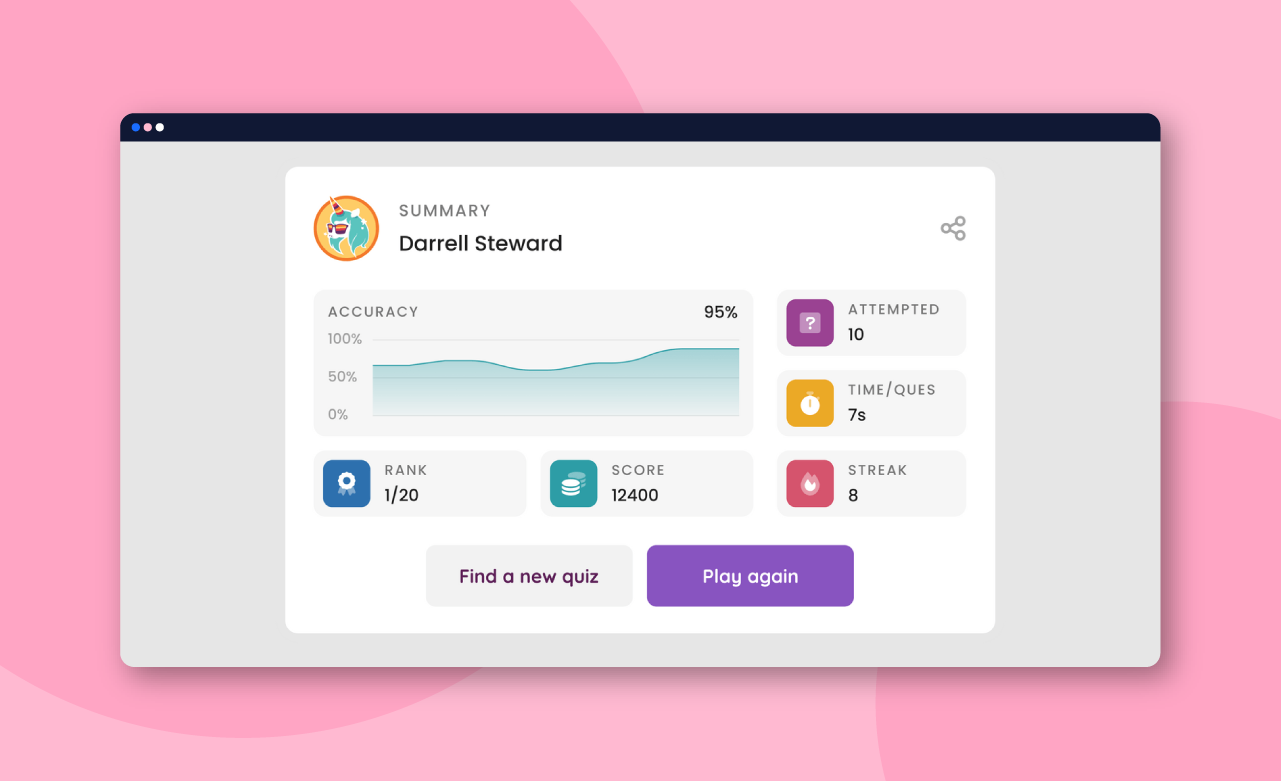
Image source: Mentimeter
The platform also features a notably innovative AI generation tool. Users can input a topic, paste a URL, or upload a document to generate a full quiz. This feature, combined with the ability to teleport questions from other public quizzes, significantly reduces the time required for lesson preparation.
HOW BLOOKET AND GIMKIT MAKE LEARNING ADDICTIVE
If your goal is pure engagement, Blooket and Gimkit offer experiences that feel more like video games than traditional assessments. These platforms have moved away from simple multiple-choice formats to include tower defense, role-playing, and economic simulations.
BLOOKET: THE LUCK-BASED ENGAGEMENT STRATEGY
Blooket is one of the strongest contenders for mixed-ability classrooms. Its "Gold Quest" mode introduces an element of luck that allows lower-performing students to remain competitive. Players can "steal" gold from the leader or swap scores, which prevents the top student from running away with the game early on. This mechanic is highly effective at maintaining morale across the entire group.
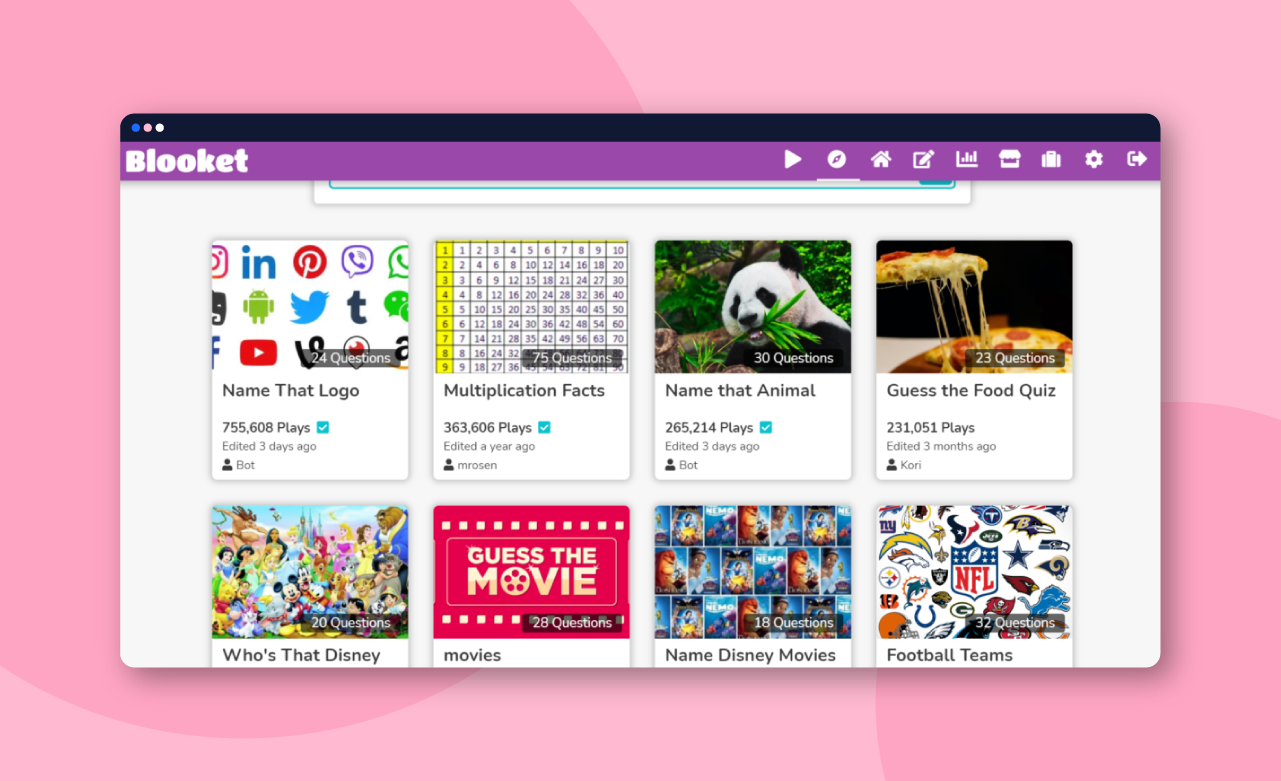
Image source: Mentimeter
GIMKIT: STRATEGY AND POWER-UPS
Gimkit, created by a high school student, takes gamification to a deeper level. Students earn "money" for correct answers, which they can then spend in an in-game shop to buy power-ups, multipliers, and insurance. This introduces a layer of strategic decision-making: Do you spend your money now to increase your future earnings, or do you save it to stay on the leaderboard? With a free participant cap that can reach up to 500 in certain modes, it is a remarkably scalable option for 2026.
WHICH TOOLS LET YOU GENERATE QUIZZES FROM PDFS AND VIDEOS?
The manual entry of quiz questions is becoming a thing of the past. A new generation of tools focuses almost entirely on AI-driven content creation. StudyGlen and Kvistly are leading this charge by offering specialized workflows for educators and trainers.
Upload a classroom PDF, a screenshot of a textbook page, or a YouTube URL directly into the platform.
The AI scans the text, identifies key concepts, and generates multiple-choice or open-ended questions based on the content.
In Kvistly, players can wager points on their answers, adding a layer of metacognition to the game.
Kvistly's unique "Confidence Betting" mechanic is a significant step forward in assessment. Before the answer is revealed, students must indicate how sure they are of their choice. This helps teachers identify students who are "confidently wrong"—a critical distinction that traditional quizzes often miss (Kvistly, 2026) .
HOW TO HOST A QUIZ GAME WITHOUT ANY STUDENT DEVICES
In many environments, 1:1 device access is not guaranteed, or teachers may want to reduce total screen time. Baamboozle offers a solution that requires only one screen—the teacher's. The class is divided into teams, and the teacher facilitates the game from the front of the room.
This "no-device" approach fosters whole-class discussion and social interaction. Instead of students staring at their own phones, they are looking at each other and debating the correct answer. It is a top-tier choice for younger students or low-tech environments where technical troubleshooting can derail a lesson.
- Ideal for K-5 classrooms
- Zero setup time for students
- Encourages verbal communication
- Huge library of user-generated games
WHY YOU SHOULD REWARD THINKING OVER SPEED IN YOUR NEXT GAME
As we move through 2026, the trend in EdTech is shifting toward "competification"—a term coined to describe games that prioritize deep thinking over rapid reflexes. Mission.io is a leader in this space, offering whole-class simulations that require collaboration and long-term planning.
By removing the "fastest finger" timer, these tools reduce the anxiety that many students feel during live quizzes. Instead of rushing to click a button, students are encouraged to analyze the problem and work with their peers. This approach is widely regarded as one of the best ways to ensure that gamification actually leads to learning rather than just entertainment.
BEST PROFESSIONAL ALTERNATIVES FOR CORPORATE TRAINING
For corporate environments, the colorful, high-energy aesthetic of Blooket or Kahoot may not always be appropriate. Professional tools like Mentimeter and Genially offer a more polished look suitable for boardrooms and hybrid conferences.
Mentimeter excels at interactive presentations. It allows speakers to weave polls, word clouds, and quizzes directly into their slide decks. With a limit of 50 unique participants per month on the free plan, it is a strong contender for recurring team meetings (Mentimeter, 2026) .
Genially , on the other hand, is a notably innovative tool for creating interactive infographics and "escape rooms." It allows trainers to create a single resource that can be used as a live game during a session and then sent out as a self-paced study guide afterward (Genially, 2026) .
Image source: AhaSlides - Pixieset
HOW TO MOVE YOUR EXISTING KAHOOT QUIZZES TO A NEW PLATFORM
One of the biggest hurdles to switching platforms is the "switching cost"—the time required to recreate your existing content. Fortunately, most modern alternatives have made this process relatively painless.
- Export from Kahoot: Log in to your Kahoot account and use the "Export to Spreadsheet" feature for your favorite quizzes.
- Clean the Data: Ensure your questions, answers, and time limits are correctly formatted in the Excel or CSV file.
- Import to Wayground/Blooket: Most platforms have a prominent "Import from Spreadsheet" button. Simply upload your file, and the tool will automatically generate the quiz.
- Review and Adjust: Check for any formatting errors and add platform-specific features like Blooket's "Blooks" or Wayground's memes.
FREQUENTLY ASKED QUESTIONS
THE BOTTOM LINE ON CHOOSING YOUR NEXT QUIZ PLATFORM
Selecting the right interactive tool in 2026 requires balancing player limits, engagement styles, and preparation time. Here are the key takeaways to guide your decision:
- Scale for Free: Choose Wayground if you need to host up to 100 players without a subscription.
- Maximize Engagement: Use Blooket for its luck-based mechanics that keep all students involved.
- Prioritize Strategy: Opt for Gimkit or Mission.io to reward thinking and planning over simple speed.
- Leverage AI: Utilize StudyGlen or Kvistly to generate assessments instantly from PDFs and videos.
- Go Tech-Free: Use Baamboozle for a single-screen experience that doesn't require student devices.
- Stay Professional: Select Mentimeter for corporate environments that require a polished, clean aesthetic.
Start by exporting one of your existing Kahoot games to a spreadsheet and importing it into Wayground or Blooket to see which workflow fits your style.