Home
What Is a Top Rated Jamboard Alternative for Your Classroom or Office?
As of 2026, the digital whiteboard landscape has stabilized following the Google Jamboard sunset. For Google Workspace users , FigJam is a leading choice due to its deep integration and free education tier. For professional teams , Miro remains a top-tier option for complex workflows. If you require a no-login experience for students, Jotboard is highly recommended. Users with physical Jamboard hardware can continue using their devices as high-quality touch displays by connecting a laptop via HDMI and USB-B.
Image source: HKMLC Smart Board
Why Google Discontinued Jamboard and What It Means for You Today
The transition away from Google Jamboard began in late 2023 and concluded with the full shutdown of the service. By 2026, the ecosystem has moved entirely toward specialized third-party partners. Google’s decision to sunset the product was largely driven by a desire to focus on core productivity tools while allowing dedicated whiteboarding platforms to handle complex visual collaboration.
Today, the landscape is defined by "The Big Three" (FigJam, Miro, and Lucidspark) alongside several niche tools that cater to specific needs like student privacy or zero-friction brainstorming. According to Explain Everything , the end of Jamboard wasn't just a software change; it also marked the end of life for the physical 55-inch Jamboard hardware, which now requires specific workarounds to remain functional.
How to Choose the Right Whiteboard Tool for Your Specific Needs
Choosing a replacement depends heavily on your technical requirements and the age of your users. While Jamboard was a "digital napkin" — simple, limited, and fast — many modern alternatives are "project hubs" with hundreds of features that can overwhelm new users. Identifying where you fall on the simplicity-versus-power spectrum is the first step in a successful migration.
| Tool Name | Best For | Education Cost | Login Required? | Drive Sync |
|---|---|---|---|---|
| FigJam | Google Classroom Users | Free (Verified) | Yes | Native |
| Miro | Complex Workflows | Free Tier Available | Yes | Integration |
| Jotboard | Quick Brainstorming | Free (5 users) | No (Optional) | No |
| Lucidspark | Agile Planning | Free Tier Available | Yes | Integration |
| Microsoft Whiteboard | Stylus/Pen Users | Included in O365 | Yes | OneDrive |
| OpenBoard | Data Privacy | Free (Open Source) | No | Local Only |
If your primary goal is to maintain the "slide-based" feel of Jamboard, you should look for tools that offer "Frames" or "Sections." If you are an educator dealing with young children, a "no-login" tool like Jotboard might be a top choice to avoid the friction of managing student accounts.
Top Jamboard Alternatives for Teachers and Schools
Education was Jamboard's strongest sector, and the transition has been most acutely felt in K-12 classrooms. Teachers require tools that are COPPA/FERPA compliant, easy to deploy on Chromebooks, and intuitive enough for a seven-year-old to use without a 20-minute tutorial.
Why FigJam Is a Leading Choice for Google Workspace Users
FigJam has positioned itself as the official successor for the education market. Its integration with Google Classroom is exceptionally strong, allowing teachers to attach a FigJam board to an assignment just as they once did with a Jam file. According to Figma's official documentation , verified educators and students can access the professional version of FigJam at no cost.
One significant advantage of FigJam is the ability for IT admins to push the app to school-managed Chromebooks via the Google Admin console. This ensures that students have the tool ready to go the moment they log in. Furthermore, FigJam's "widgets" — such as timers, voting tools, and high-fives — add a layer of engagement that Jamboard lacked, making it a significant advancement for interactive lessons.
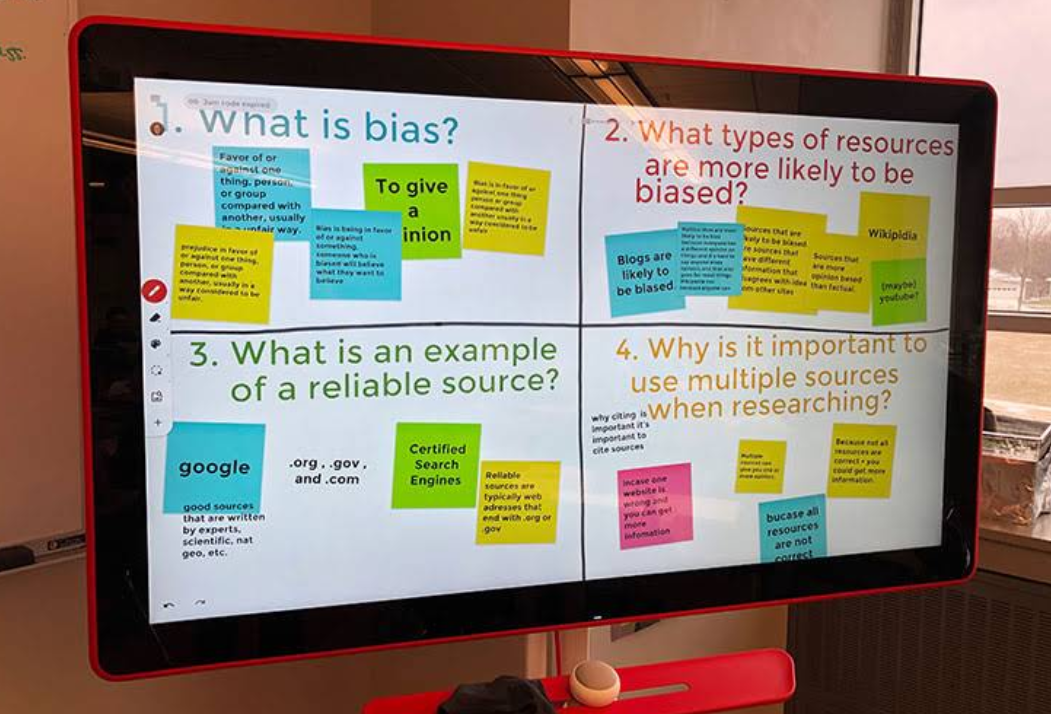
Image source: Boardmix
How to Use Jotboard for a No-Login Classroom Experience
A common complaint among teachers is "account fatigue." Requiring a 2nd-grade student to remember a password just to draw a diagram can derail a lesson. Jotboard addresses this by allowing for "anonymous public boards." A teacher can create a board, share a link, and students can begin collaborating instantly without providing an email address. This mimics the "zero-friction" environment that made Jamboard a favorite in early childhood education.
Why OpenBoard Is a Strong Choice for Student Privacy
For schools with strict data privacy mandates or those operating in regions with limited internet connectivity, OpenBoard stands out as a top-tier option. Unlike the cloud-based "Big Three," OpenBoard is an open-source application that runs locally on your computer. All files are stored on the device or a local server, ensuring that student data never leaves the school's network. While it lacks the real-time web collaboration of Miro, it is widely considered one of the best choices for interactive whiteboards (IWBs) in a traditional classroom setting.
Professional Alternatives for Agile Teams and Designers
In the corporate world, the requirements shift from simplicity to integration. Professional teams need their whiteboard to talk to their project management software, their chat apps, and their design files.
Why Miro Is a Standard for Complex Workflows
With over 60 million users, Miro is a dominant force in the visual collaboration space. It is particularly effective for teams using Agile methodologies. Miro’s strength lies in its massive template library and its ability to integrate with tools like Jira, Slack, and Asana. As noted by Miro's comparison guide , the platform offers a much larger canvas and more sophisticated permission controls than Jamboard ever did.
- Extensive integration ecosystem (Jira, Asana).
- Advanced "Smart Diagramming" features.
- Robust permission settings for external clients.
- Steep learning curve for non-tech users.
- Free tier is limited to 3 editable boards.
- Can be resource-heavy on older hardware.
How Lucidspark Simplifies Strategic Planning and Diagramming
Lucidspark is often preferred by teams that are already using Lucidchart for technical diagramming. It excels in "Agile environments" where sprint planning and retrospective meetings are common. One standout feature is "Breakout Boards," which allows a large group to split into smaller groups on separate boards and then sync their work back to the main canvas — a workflow that was clunky to manage in Jamboard's slide-based system.
Bluebeam Revu for Construction and Engineering Markups
For professional engineers and architects, general-purpose whiteboards often fall short. The Digital Project Manager highlights Bluebeam Revu as a specialized alternative for those who need to perform precise markups on blueprints and technical drawings. While significantly more expensive than FigJam or Miro, its specialized toolset for the AEC (Architecture, Engineering, and Construction) industry makes it a top choice for those specific professional sectors.
Common Frustrations When Switching From Jamboard and How to Fix Them
Moving from a simple tool to a complex one inevitably leads to friction. Most Jamboard users encounter three specific "pain points" when they first transition to a tool like Miro or FigJam.
If you miss Jamboard's "Frames" (the slides at the top), use the "Sections" tool in FigJam or "Frames" in Miro. You can set these up in a horizontal row and use the "Presenter Mode" to click through them just like you did in Jamboard.
The Eraser Problem and Vector vs Raster Erasing
One of the most frequent complaints is that the eraser in FigJam or Miro "deletes the whole line" instead of just the part you touched. This is because these tools are vector-based — they treat every pen stroke as a single mathematical object. Jamboard was raster-based , meaning it treated the screen like pixels on a piece of paper.
The Fix: If you absolutely need pixel-level erasing, Microsoft Whiteboard is a highly recommended choice. It uses a hybrid engine that allows for more natural, fragment-based erasing that feels closer to a physical whiteboard.
The Infinite Canvas Confusion and How to Get Your Pages Back
Jamboard users are often overwhelmed by the "Infinite Canvas" of Miro, where you can zoom out forever and lose your work. To fix this, you must use the "Map" or "Outline" feature. By creating "Frames" around your content, you can use the sidebar to jump between different parts of your board, effectively recreating the slide-based navigation of Jamboard.
The Too Many Buttons Syndrome
For younger students, the toolbars in professional apps are too crowded. Most of these tools now offer a "Simplified UI" or "Restricted Toolbar" mode. In FigJam, for example, you can hide specific tools so that students only see the pen, the sticky note, and the eraser. This reduces cognitive load and keeps the focus on the lesson rather than the software.
How to Migrate Your Existing Jams Before They Are Lost Forever
By 2026, the native Google Jamboard servers have been offline for some time. However, many users still have archived PDF exports of their old work. If you are looking to make these old Jams interactive again, you have two primary paths.
- The Partner Import Path: Both Miro and FigJam developed dedicated import tools during the sunset period. If you have a .jam file backup, you can upload it directly to these platforms. They will attempt to convert sticky notes and text into editable elements, though complex drawings may be flattened into images.
- The PDF-to-Layer Path: If you only have a PDF export, you can re-upload the PDF to a tool like Lucidspark. While the PDF will initially be a static background, you can use OCR (Optical Character Recognition) tools or simply layer new sticky notes over the old text to "revive" the collaboration.
Image source: TCEA TechNotes Blog
What to Do With Your Physical 55-Inch Jamboard Hardware
If your school or office invested $5,000 in the physical Jamboard kiosk, you might be worried it is now a "paperweight." While the native Google software no longer works, the hardware itself is a high-quality 4K touchscreen monitor with a built-in camera and speakers.
The HDMI and USB-B Hack
You can continue to use the physical board by bypassing the internal Google OS entirely. On the back or side of the Jamboard, you will find an HDMI input and a USB-B "Touch" port . By connecting a laptop to both of these ports, the Jamboard becomes a giant external touchscreen for your computer. You can then open Miro, FigJam, or Explain Everything in a web browser on your laptop, and it will work perfectly with the Jamboard's stylus and finger touch.
Unlicensed Mode Features
In its "unlicensed mode," the Jamboard hardware still retains a basic local whiteboard and the ability to use the screen as a display. However, you will not be able to save these boards to Google Drive or join remote meetings through the native interface. The HDMI bypass mentioned above is widely considered the most effective way to maintain the value of the hardware in 2026.
Frequently Asked Questions
Key Takeaways for Replacing Google Jamboard
Transitioning away from Jamboard is an opportunity to upgrade your collaborative toolkit. While the simplicity of the original tool is missed, the new landscape offers significantly more power and flexibility.
- Identify your primary need: Choose FigJam for Google integration, Miro for professional workflows, or Jotboard for simplicity.
- Leverage Education Tiers: Most major platforms offer free professional-grade accounts for verified teachers and students.
- Solve the "Eraser Frustration": Switch to Microsoft Whiteboard if you require pixel-based erasing rather than vector-based stroke deletion.
- Recreate Slide Navigation: Use "Sections" or "Frames" to organize your boards into a slide-like flow for easier presentations.
- Repurpose Your Hardware: Use the HDMI and USB-B ports to turn your physical Jamboard into a giant touchscreen for your laptop.
- Prioritize Privacy: Use OpenBoard if you need a localized, non-cloud solution for sensitive student data.
Start by testing one tool with a small group to see which "feel" best matches your specific collaborative style before committing to a full migration.