Home
How to Build a Productivity Tool Stack That Actually Sticks Long Term
Research indicates that nearly 88% of productivity tools fail to remain in a professional's stack after two years. To build a system that lasts, focus on a "Core Stack" consisting of a Foundation Layer (Google Workspace or Microsoft 365), a Task Layer (Todoist or Akiflow), and an AI Layer (ChatGPT or Claude). By applying a "Survival Filter" and shifting from time management to Effort Budgeting , you can reclaim up to 20–30 hours per week.
Why Most Productivity Tools Fail Within the First 30 Days
We have all been there: you discover a new app that promises to organize your life, spend three hours setting up the perfect dashboard, and then abandon it by the following Tuesday. This phenomenon, often called "Shiny Object Syndrome," is the primary reason why most productivity systems collapse. According to a two-year study of over 50 tools , roughly 88% of software fails to provide long-term value.
True productivity is not about having the most features; it is the ratio of output quantity over input quantity. As noted in recent efficiency research , growth only happens when your output grows faster than the effort you put in. If a tool requires more maintenance than the time it saves, it is a net negative for your workflow.
The goal of this article is to move you away from a list of "cool apps" and toward a "Survivalist Stack." This is a curated selection of software that survives the 30-day trial period and provides a measurable return on investment (ROI) by saving you 20–30 hours every single week.
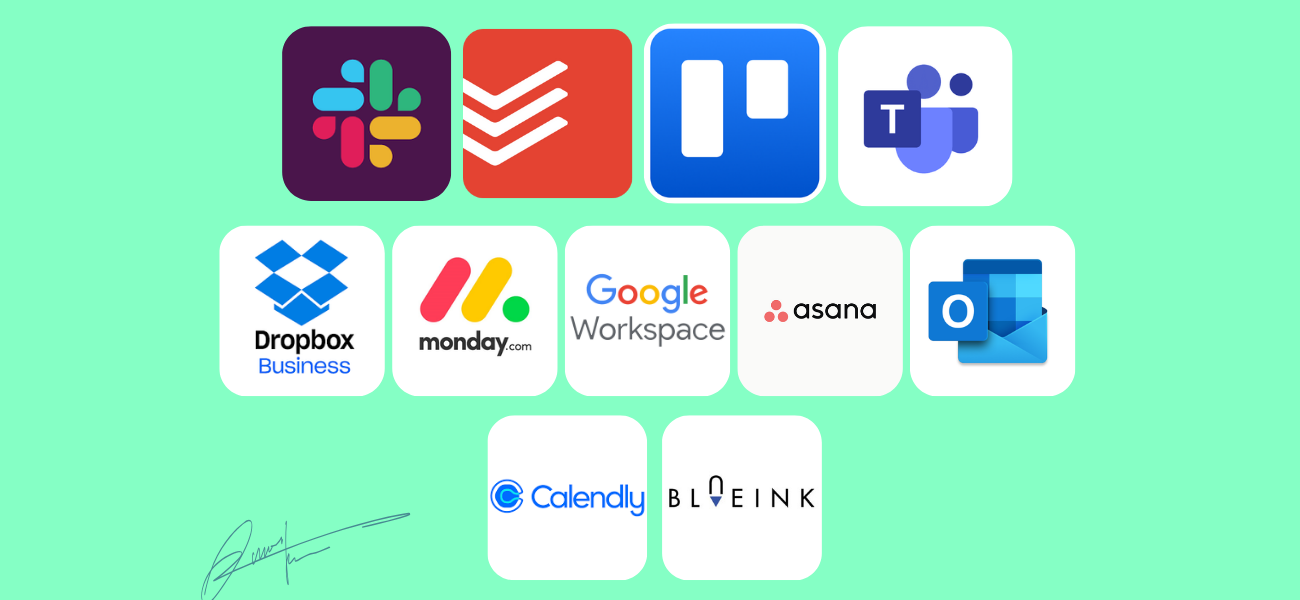
Image source: Blueink
The Survival Filter Framework for Choosing Software
Before adding any new software to your digital workspace, it must pass the "Survival Filter." This framework ensures that you are solving actual problems rather than just chasing novelty. If a tool fails even one of these six criteria, it likely does not belong in your permanent stack.
Choosing the Foundation Layer for Your Primary Workspace
Your foundation layer is where your data lives. It is the non-negotiable core of your professional life. For 90% of professionals, this choice comes down to Google Workspace or Microsoft 365 . While specialized tools are exciting, these platforms provide the stability required for long-term scaling.
The Case for Unified Platforms
There is a growing trend toward unified platforms like Lark , which combine chat, docs, and project management into a single interface. Data suggests that reducing "context switching"—the act of jumping between 10 different browser tabs—can boost efficiency by up to 39% . For teams, a unified platform eliminates the "app-switching tax" that drains cognitive energy throughout the day.
The Case for Modular Stacks
Conversely, many experts prefer a "Best-of-Breed" approach. This involves using specialized tools that are exceptionally strong in their specific niche—such as Todoist for tasks, Notion for documentation, and Slack for communication. This modularity allows you to swap out individual components as your needs change without rebuilding your entire system from scratch.
Moving Beyond Simple To-Do Lists with the Task Management Layer
A simple list is rarely enough to manage a modern workload. You need a system that handles capture, prioritization, and scheduling. Here are the top-rated options based on different working styles:
| Tool | Best For | Key Strength |
|---|---|---|
| Todoist | Minimalists | Natural language processing for quick entry. |
| Akiflow | ADHD / Overwhelmed | Consolidates tasks from email, Slack, and calendars. |
| Monday.com | Visual Teams | Highly impactful visual workflows and automation. |
For those dealing with "notification overwhelm," Akiflow stands out as a top choice. It acts as a central hub, pulling in tasks from various sources so you don't have to check five different apps to know what to do next. This is particularly effective for users with ADHD who struggle with the friction of app-switching.
How to Use the Voice-to-Task Pipeline to Capture Ideas Anywhere
One of the biggest productivity leaks is the loss of "shower thoughts" or insights gained while driving or walking. You cannot always type, and if you don't capture the idea immediately, it is often gone forever. The Voice-to-Task Pipeline is a significant advancement in capturing these fleeting moments.
The 3-Step Workflow
- Capture: Use Google Recorder or a smart watch widget to record your raw thoughts. The goal is one-tap recording to avoid phone distractions.
- Process: Feed the raw transcript into an AI like ChatGPT or Claude . Use a prompt such as: "Extract actionable tasks, deadlines, and key insights from this transcript."
- Sync: Export the structured list directly into your task manager (Todoist, Asana, or Notion).
By setting up a Zapier automation, you can even make this process hands-free, moving AI-processed tasks into your to-do list automatically. This ensures that your best ideas are never lost to the void of a busy day.
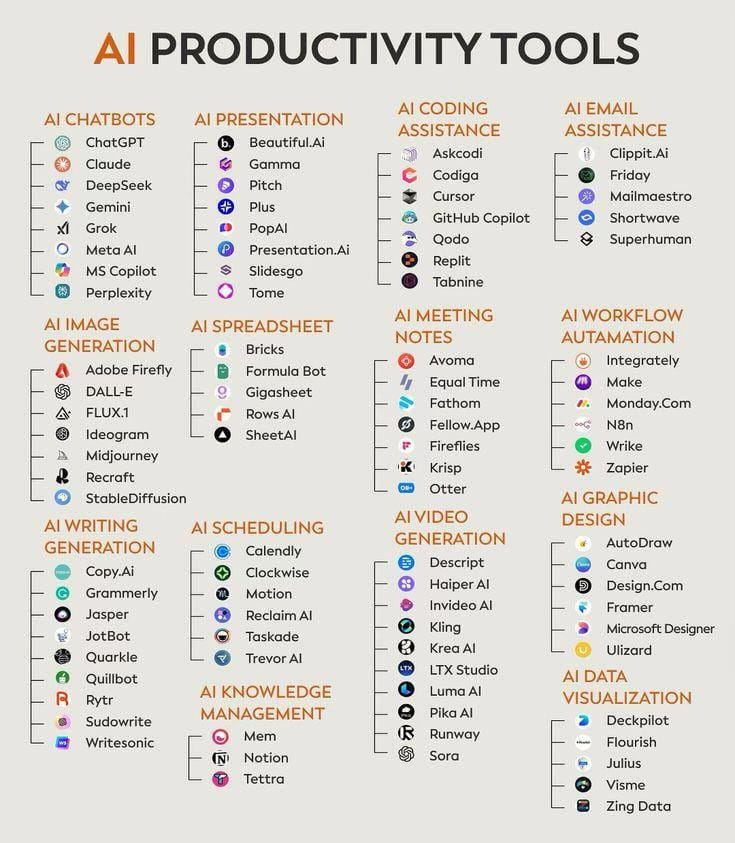
Image source: Scalevise
Using the AI Layer to Replace Manual Workflows
AI is no longer just a novelty; it is a functional layer of the modern productivity stack. Tools like ChatGPT and Claude should be viewed as "thinking partners" rather than just writing assistants. They are exceptionally strong at processing complex information and distilling it into actionable steps.
Another top-tier option in the AI layer is Blinkist . Most business books take 6–8 hours to read, but many contain only 20 minutes of truly actionable advice. Blinkist removes this "research bottleneck" by distilling these books into 15-minute insights, allowing you to stay informed without sacrificing your entire afternoon to reading.
Finally, Zapier remains a leading choice for connecting your apps. By identifying "low-value" tasks—like moving data from a form to a spreadsheet—you can offload hundreds of hours of manual work to the AI and automation layer.
Stop Managing Time and Start Budgeting Your Daily Effort Points
The traditional 8-hour workday is a myth. You do not have 8 hours of peak cognitive performance; you have a finite amount of "Effort Points." This community-sourced strategy from high-signal productivity forums suggests budgeting 1,000 Effort Points per day.
The Effort Point Breakdown
- High-Effort Tasks (200-400 points): Deep work like coding, writing a strategy memo, or complex problem-solving. You can usually only handle 2–3 of these per day.
- Medium-Effort Tasks (50-100 points): Meetings, detailed emails, or project planning.
- Low-Effort Tasks (10-20 points): Quick replies, filing expenses, or administrative updates.
If a task costs 200 points but can be automated via Lark Base or Zapier for a low cost, it must be removed from your personal budget. This shift in mindset prevents the "busy but unproductive" trap where you spend all your points on low-value maintenance tasks and have nothing left for the work that actually moves the needle.
Psychological Hacks to Boost Your Software's Effectiveness
Even the most innovative software cannot help if your brain is working against you. These psychological triggers help you get the most out of your tools:
Rubber Duck Debugging
Borrowed from software engineering, this involves explaining a bottleneck to an inanimate object (or a "disinterested" AI). The act of verbalizing the problem often triggers a mental breakthrough that you wouldn't get by just staring at a screen.
The 3-Second Rule
To beat procrastination, count down from three. When you hit zero, you must move. This simple physical trigger bypasses the brain's tendency to overthink and object to starting a difficult task. If you don't move at zero, the rule loses its psychological power, so consistency is key.
The 3-3-3 Rule
This is a popular framework for daily planning:
- 3 hours of deep work on your most important project.
- 3 urgent tasks that must be completed today.
- 3 maintenance tasks (emails, chores, admin).
Frequently Asked Questions
The 3-3-3 rule is a time-management framework that prioritizes focus. It suggests spending 3 hours on your primary "deep work" project, completing 3 shorter but urgent tasks, and finishing 3 maintenance tasks (like emails or admin). This ensures you make progress on big goals while still handling daily responsibilities.
Notion is widely considered a top choice for those who need database flexibility and all-in-one workspaces. Evernote remains a strong contender for users who prefer a simpler, "digital filing cabinet" approach to note-taking. If you need to build systems, choose Notion; if you just want to save clips and notes, Evernote is often more intuitive.
Most paid tiers range from $4 to $12 per month. If a tool saves you just one hour of work per month, it has already paid for itself. For professionals, the ROI on tools like Akiflow or ChatGPT Plus is often measured in dozens of hours saved, making them a highly recommended investment.
Tools that reduce friction and consolidate information are essential. Akiflow is frequently cited as a top-rated option because it pulls tasks from multiple apps into one view. Brain.fm is also highly effective for providing scientifically-designed background music that helps maintain deep focus during work sessions.
Yes. For many individuals and small teams, the complexity of Asana or ClickUp can actually hinder productivity. A well-structured Google Sheet is often "enough" to track milestones and deadlines without the overhead of learning a new project management system.
The Bottom Line on Choosing Your Tools
Key Takeaways for a Sustainable Stack
- Audit your current apps against the 6 Survival Filters to eliminate redundant or high-friction software.
- Establish a Foundation Layer using Google Workspace or Microsoft 365 to ensure data stability and easy integration.
- Implement a Voice-to-Task pipeline this week to capture high-value ideas when you are away from your desk.
- Shift to Effort Budgeting by assigning "points" to your tasks, ensuring you don't waste your peak energy on low-value admin.
- Use AI as a thinking partner to distill information and automate repetitive manual workflows via Zapier.
- Build for your tired self. Don't choose tools based on who you are at 9:00 AM; choose them for the person you are at 4:00 PM.
Start by identifying your 1,000 Effort Points for tomorrow and see how many you can reclaim through automation.