Home
How to Choose Top-Rated Online Appointment Software for Your Business in 2026
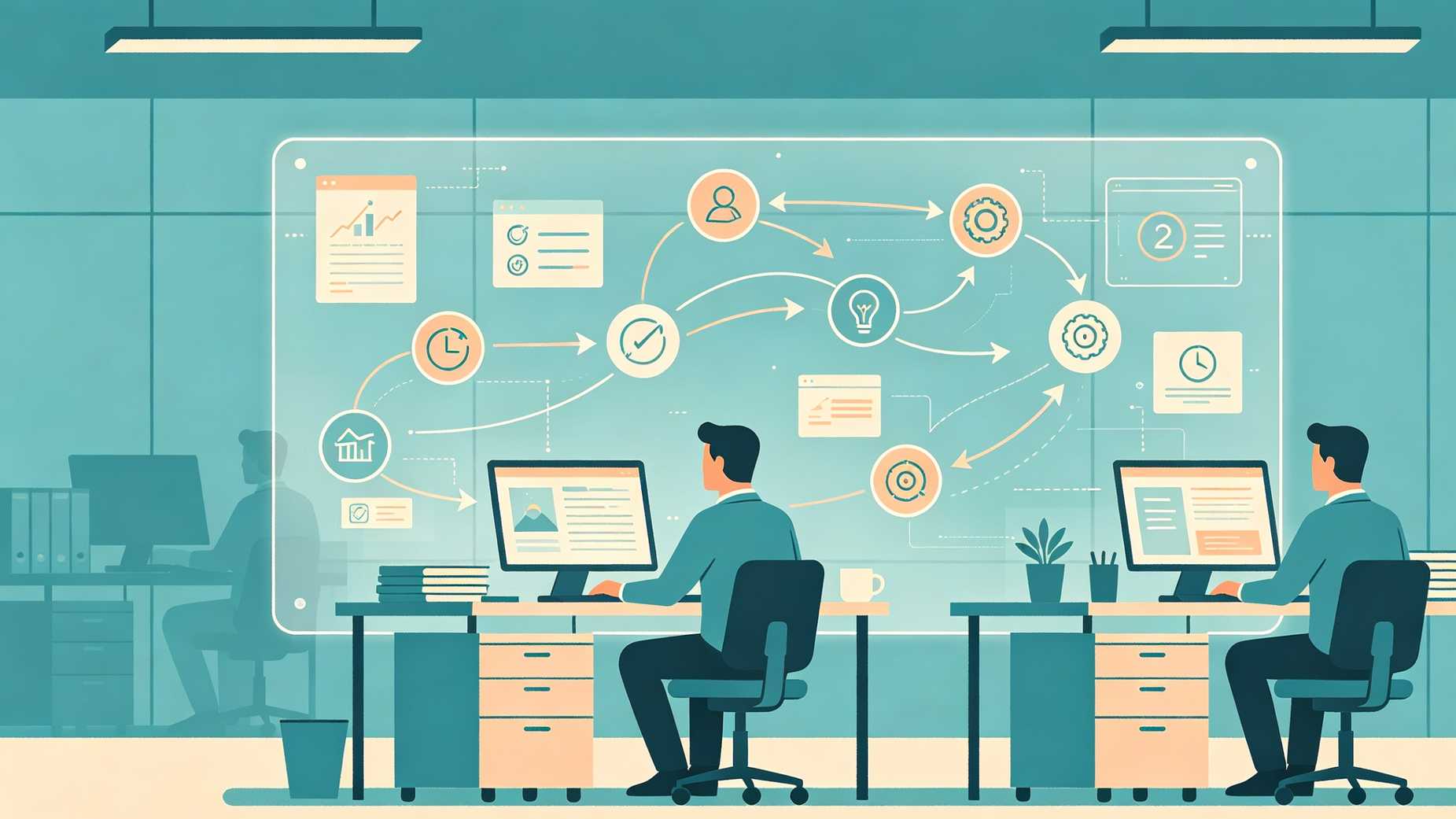
The "back-and-forth tax" is a hidden drain on modern commerce. In recent years, data has shown that manual scheduling can consume up to 20% of a small business owner's work week, involving a tedious cycle of emails, voicemails, and calendar checks. As we move through 2026, the landscape has shifted from simple booking links to autonomous AI agents that handle the entire negotiation process.
Transitioning to digital booking is no longer just a convenience; it is a revenue driver. According to research from Schedly , approximately 67% of clients prefer to book their appointments after traditional office hours. If your business relies on a receptionist to answer phones between 9:00 AM and 5:00 PM, you may be missing a significant portion of your potential market. Modern online appointment software ensures your business is "open" for bookings while you sleep, providing a seamless experience for the modern consumer.
What Makes Online Appointment Software Worth the Investment?
Investing in a scheduling platform offers more than just a digital calendar. It creates a structured workflow that minimizes administrative friction. Studies indicate that switching to digital booking can increase overall booking efficiency by up to 40%. This efficiency stems from the elimination of manual data entry and the automation of follow-up tasks that typically fall through the cracks.
Beyond simple efficiency, there is a profound psychological component to self-scheduling. Insights from Schedly suggest that clients who select their own time slots feel a stronger mental commitment to the appointment. This "choice ownership" often results in higher attendance rates compared to appointments dictated over the phone by a staff member. When a client actively browses a calendar and picks a slot that fits their life, they are psychologically "buying in" to the service before they even arrive.
Furthermore, these tools act as a 24/7 revenue generator. By integrating payment gateways like Stripe or PayPal, businesses can collect deposits at the time of booking. This not only improves cash flow but also serves as a deterrent for no-shows. In an era where consumer attention is fragmented, providing an immediate path from "interest" to "confirmed booking" is essential for maintaining a competitive edge.
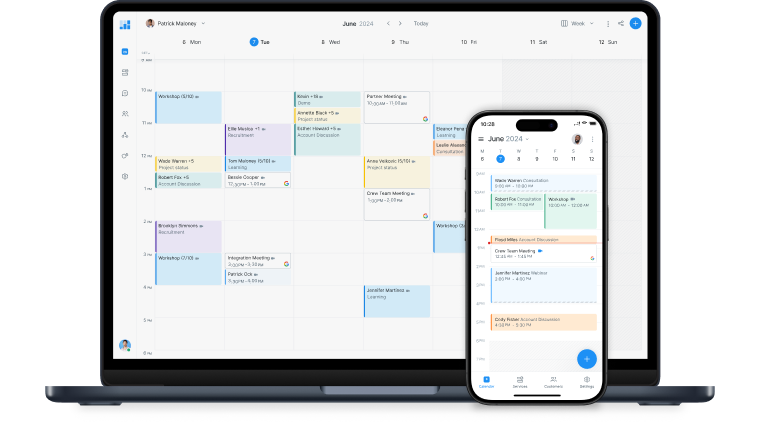
Image source: Setmore
7 Online Appointment Software Options Compared
Choosing the right tool requires balancing features, cost, and specific industry needs. The following table provides a snapshot of how the leading platforms compare in the current market.
| Software | Free Plan Limit | AI Capabilities | Best Use Case |
|---|---|---|---|
| Calendly | 1 Event Type | Callie AI Assistant | Professional Teams |
| Acuity | Trial Only | Automated Workflows | Complex Resources |
| Square | 1 User (Free) | Integrated POS | Retail & Salons |
| SimplyBook.me | 50 Bookings/mo | MCP & Claude Sync | Global/Healthcare |
| Setmore | Up to 4 Users | Basic Automation | Small Teams |
| Google Calendar | 1 Page (Free) | Gemini Integration | Solo Practitioners |
Calendly for Automated Team Scheduling and AI Coordination
Calendly remains a dominant force in the scheduling space, particularly for corporate teams and sales departments. Its primary strength lies in its massive integration ecosystem, supporting over 150+ tools including Salesforce, HubSpot, and Zoom. In 2026, Calendly has expanded its capabilities with "Callie," an AI assistant designed to handle email thread negotiations. Instead of sending a link, users can CC Callie into an email, and the AI will suggest times based on the context of the conversation.
Acuity Scheduling for Businesses with Complex Resource Needs
Acuity Scheduling, now part of the Squarespace family, is widely regarded as one of the strongest options for service-based businesses that manage more than just staff time. It excels in "Resource Management," allowing you to track physical assets like rooms, machines, or specialized equipment. This ensures that you never book a service that requires a specific room if that room is already occupied, even if the staff member is free.
Square Appointments for Retailers Needing a Physical POS
For businesses that operate both online and in a physical storefront, Square Appointments offers a highly impactful integration. It combines your digital booking calendar with a robust Point of Sale (POS) system. This allows for seamless checkout, inventory tracking, and client profiles that update automatically whether the customer books online or walks through the door.
SimplyBook.me for Global Service Providers and HIPAA Readiness
SimplyBook.me is a top-tier choice for international businesses and healthcare providers. It offers extensive customization and supports multiple languages and currencies. Notably, it provides a dedicated HIPAA compliance feature, which is essential for medical professionals. According to SimplyBook.me , they also maintain a high standard of support with a 13-second average response time for their 24/7 human assistance.
Setmore for Teams Seeking a Robust Free Plan
Setmore offers one of the most generous free tiers in the industry, allowing up to 4 users on its basic plan. This makes it an excellent choice for small startups or non-profits that need team functionality without an immediate monthly fee. It includes automated email reminders and custom booking pages even at the free level.
Google Calendar for Solo Practitioners and Simple Needs
For those already embedded in the Google Workspace ecosystem, the built-in appointment scheduling feature is a significant step forward. While the free version is limited to one booking page, the "Business Standard" plan allows for multiple appointment types and conflict checking across several calendars. It is a clean, no-frills solution for consultants and freelancers.
How to Manage Physical Resources and Room Constraints
A common pitfall in scheduling is focusing solely on personnel availability. However, for many businesses, the bottleneck isn't the person—it's the place. If you run a medical spa with ten technicians but only four laser machines, your software must be smart enough to manage those physical assets. This is where "Resource Groups" become vital.
To fix this, advanced tools like Acuity allow you to link a service to both a staff member and a resource. When a booking occurs, it "consumes" one unit of each. Once the two washing stations are booked, the software will show the remaining three stylists as "unavailable" for that specific time slot, even if they have no other appointments. Setting up these dependencies is a critical step in future-proofing your operations.
Why Your Availability Might Be Hidden and How to Fix It
One of the most frustrating issues for users is "Ghost Availability"—when a calendar appears empty to clients even though the business owner is free. This is rarely a bug and usually a result of overly restrictive settings. According to Acuity's documentation , there are three common culprits:
- The "Look Busy" Setting: Many platforms allow you to hide a percentage of your open slots to create an aura of scarcity. If set too high, it can accidentally hide all available times on a slow day.
- Minimize Gaps: This feature clusters appointments together to prevent "dead time" in the middle of the day. While efficient for the business, it can frustrate new clients who need a specific time that doesn't border an existing booking.
- Buffer Times: If you have a 30-minute buffer set before and after every 60-minute massage, a single booking actually occupies two hours of calendar space. Overlapping buffers are a frequent cause of missing slots.
To troubleshoot these issues, most experts recommend using a "Preview" mode to see exactly what the client sees. If slots are missing, check your synced personal calendars (like a "Doctor's Appointment" on your personal Google Calendar) which may be blocking your professional availability by default.
Is Your Scheduling Tool Actually HIPAA Compliant?
For healthcare providers, "HIPAA-ready" does not mean "HIPAA-active." A major trap for medical professionals is assuming that because a software provider lists HIPAA compliance on their features page, the account is automatically protected. In reality, compliance is a shared responsibility that requires specific configuration.
HIPAA Compliance Checklist
- Sign a BAA: You must sign a Business Associate Agreement with the software provider before inputting any patient data.
- Disable Notifications: Ensure that SMS or email reminders do not contain Protected Health Information (PHI) like specific treatment names.
- Encrypted Intake: Use the platform's native encrypted forms rather than linking to external, non-secure documents.
- Audit Logs: Verify that the software tracks who accesses patient records and when.
SimplyBook.me and Acuity (on higher tiers) offer these protections, but they often require the user to toggle a "HIPAA Feature" on, which may disable certain third-party integrations that are not secure. Always consult with a compliance officer before migrating patient data to a new cloud-based scheduler.
Does Automated Reminders Really Reduce No-Shows?
The efficacy of automated reminders is a point of contention among industry experts. While Acuity claims that businesses can reduce no-shows by up to 75% through a combination of reminders and deposits, other data suggests a more nuanced reality. A study cited by Schedly found that automated reminders sometimes resulted in no-show rates as high as 8.9%, suggesting that the *human* element still plays a role.
SMS has a 98% open rate. It is the most effective way to ensure a client sees the notification. Short, punchy messages with a "Reply 1 to Confirm" option are highly effective for high-volume services like hair salons or dental cleanings.
Financial skin in the game is often more effective than a text message. Requiring a non-refundable $20 deposit via Stripe or Square significantly reduces "flaky" behavior, as the cost of missing the appointment is immediate and tangible.
The most successful strategy typically involves a multi-touch approach: an immediate confirmation email, a text reminder 24 hours before, and a final "on my way" notification. However, for high-ticket consulting or medical procedures, a personal confirmation call remains a top-performing method to ensure attendance.
How AI Agents Are Changing the Way We Book Meetings
We are currently witnessing a significant advancement in how scheduling occurs. The era of "here is my link, find a time" is evolving into "my agent will talk to your agent." This shift is driven by Large Language Models (LLMs) and the Model Context Protocol (MCP).
Phone calls, paper ledgers, and manual data entry. High error rates and limited accessibility.
Tools like Calendly and Acuity allow users to share a URL. The burden of finding a time shifts to the client.
AI agents like Callie handle the back-and-forth via email. SimplyBook.me integrates with Claude to allow users to manage their entire account via a chat interface.
Future-proofing your business means choosing a platform with an open API or MCP support. This allows you to connect your scheduler to custom AI assistants that can answer client questions about your services *before* they book, further qualifying the lead and saving you time.
Frequently Asked Questions
Key Takeaways for Selecting Your Scheduler
Choosing the right appointment software is a foundational decision for your business operations. Here are the essential points to remember:
- Identify your primary resource: Determine if you are booking a person's time, a physical room, or a specific piece of equipment.
- Prioritize integration: Ensure the tool syncs seamlessly with your existing Google, Outlook, or iCloud calendars to avoid conflicts.
- Evaluate free limits: Look closely at user counts and booking volumes, as these are the most common bottlenecks in free plans.
- Verify compliance: If you are in healthcare or finance, ensure the platform is HIPAA or GDPR compliant and that you have signed the necessary agreements.
- Leverage AI agents: Look for tools that offer AI negotiation features to eliminate the manual email back-and-forth.
- Use deposits to deter no-shows: Financial commitment is often more effective than simple reminders for reducing missed appointments.
- Check for mobile POS needs: If you have a physical storefront, choose a tool that integrates with your in-person checkout system.
Don't just buy a booking link; invest in a comprehensive workflow that eliminates the negotiation phase of your business and lets you focus on your craft.