Home
How to Choose Top-Rated Sound Editing Software and Master Professional Techniques
Sound editing is the art of selecting, cleaning, and placing audio elements to tell a story. While Pro Tools Studio remains a leading choice for industry compatibility, Reaper has become a top-tier option for those seeking deep customization. For video editors, DaVinci Resolve Fairlight offers a highly capable integrated solution.
Understanding the Core Differences Between Sound Editing and Mixing
In the realm of post-production, the terms "editing" and "mixing" are often used interchangeably by those outside the industry, but they represent distinct phases of the creative process. Sound editing is primarily concerned with the acquisition and arrangement of audio assets. This includes cleaning up location dialogue, recording foley (everyday sound effects like footsteps or clothing rustle), and "spotting" cinematic sound effects (SFX) to match visual cues.
Sound mixing, conversely, is the final balancing of these elements. A mixer takes the thousands of tracks provided by the editors and adjusts their volume, panning, and frequency response to ensure the audience hears exactly what the director intends. According to Wikipedia's history of the Academy Awards , the distinction was so vital that separate awards were given for decades.
Why the Academy Awards Merged Sound Categories in 2021
A significant shift occurred at the 93rd Academy Awards in 2021. The Academy of Motion Picture Arts and Sciences merged the "Best Sound Editing" and "Best Sound Mixing" categories into a single "Best Sound" award. This change reflects the modern digital landscape where the lines between these roles have blurred. Today, an editor often performs "pre-mixes" while they work, and a mixer may perform editorial fixes on the fly.
Despite this merger, the technical skills required for each remain unique. Understanding these roles is essential for choosing the right tools. If your goal is to build a sonic world from scratch, you are an editor. If your goal is to polish that world into a cohesive auditory experience, you are a mixer.
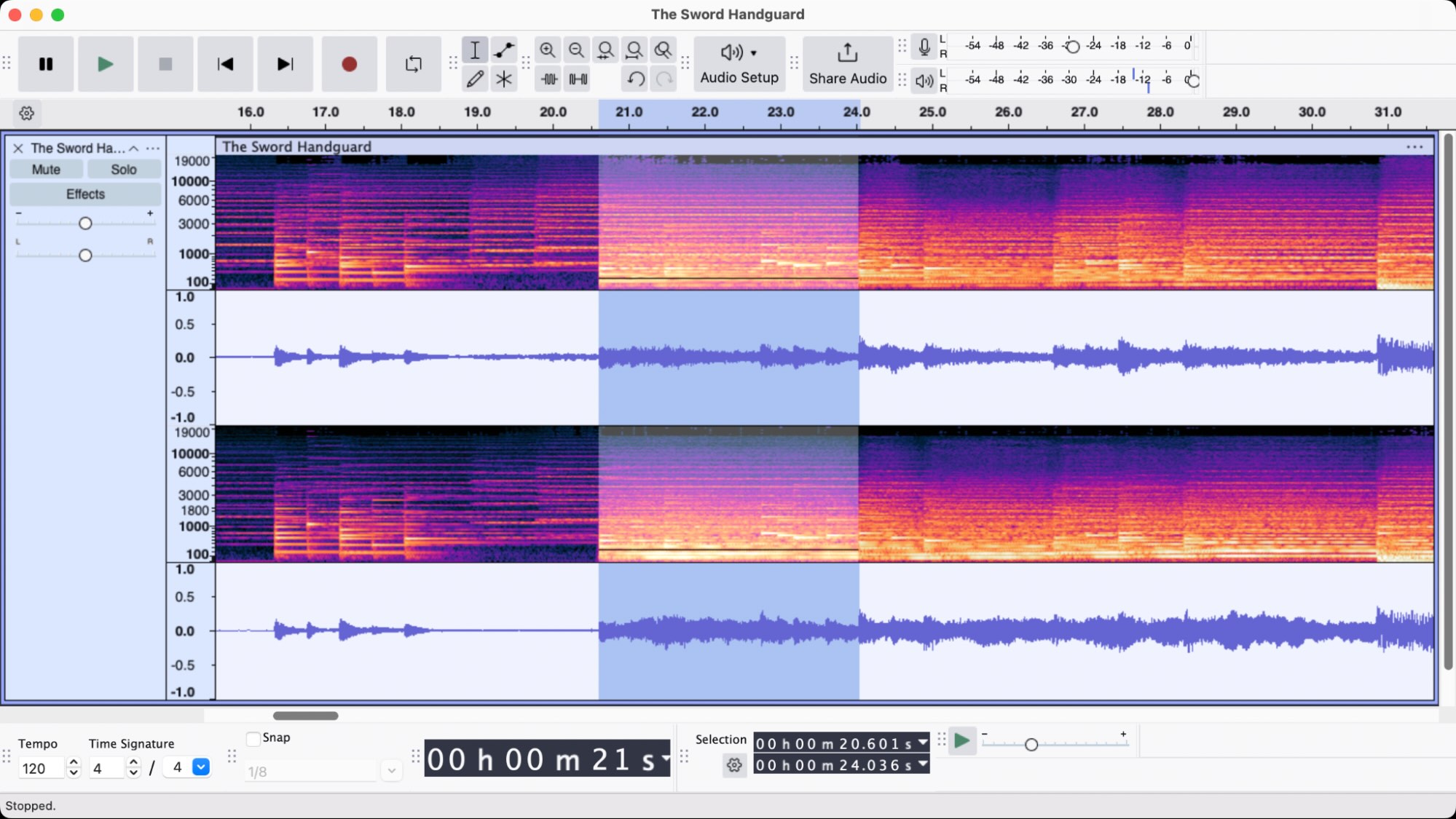
Image source: Zapier
Comparing the Most Effective Sound Editing Software for Modern Creators
Choosing the right Digital Audio Workstation (DAW) depends on your specific workflow, budget, and the complexity of your projects. In 2026, the market is divided between legacy giants and highly flexible newcomers.
| Software | Primary Use Case | Workflow Type | 2026 Pricing Model |
|---|---|---|---|
| Pro Tools Studio | Industry Standard Post-Production | Non-Destructive | Subscription (Monthly/Annual) |
| Reaper | Game Design & Custom Workflows | Non-Destructive | One-time License (Generous Trial) |
| DaVinci Resolve Fairlight | Integrated Video/Audio Post | Non-Destructive | Free / One-time Studio Fee |
| Adobe Audition | Podcast & Creative Cloud Users | Mixed (Destructive/Non) | Creative Cloud Subscription |
| ocenaudio | Quick Edits & Large Files | Destructive | Free |
Why Pro Tools Studio Maintains Its Position as a Professional Standard
For decades, Avid Pro Tools has been the bedrock of Hollywood sound departments. Its dominance is largely due to its file management and session interchange capabilities. When a project moves from an independent editor to a major mixing stage, the "Pro Tools Session" is the universal language spoken by all parties.
One of its most acclaimed features is the Smart Tool . As noted in official Avid documentation , the Smart Tool allows editors to toggle between the selector, grabber, and trim functions contextually based on where the cursor is placed on a clip. This eliminates thousands of keystrokes over the course of a feature film, making it a highly efficient choice for high-volume work.
The Rise of Reaper Among Independent Sound Editors
While Pro Tools owns the legacy market, Reaper has seen a massive surge in adoption among game sound designers and independent film editors. The "Reaper Factor" refers to the software's infinite customizability. Users can script their own functions, change the entire UI, and run the program off a thumb drive due to its lightweight architecture.
Community sentiment on platforms like Reddit often highlights Reaper's non-destructive power. Unlike older tools that might permanently alter an audio file, Reaper keeps the original data intact, allowing for endless experimentation. For creators who find Pro Tools' subscription model or rigid interface restrictive, Reaper stands out as a top-performing alternative.
Essential Hardware Components for Accurate Audio Monitoring
Even the most sophisticated software cannot compensate for poor hardware. To achieve professional results, you must be able to hear the audio accurately, without the "coloring" or distortion common in consumer-grade speakers.
Studio Monitors
Unlike hi-fi speakers that boost bass for a "pleasant" sound, studio monitors provide a flat frequency response. This ensures that if your edit sounds good on these, it will translate well to theaters and headphones.
ADR Microphones
Automated Dialogue Replacement (ADR) requires a clean, transparent signal. Tools like the Editors Keys SL600 are frequently recommended for capturing high-quality vocal takes in home studio environments.
Audio Interface
A dedicated interface converts analog signals to digital with minimal latency. This is vital for syncing foley or dialogue to a video timeline without annoying delays.
A Professional Four-Step Workflow for Scripted Television Audio
Professional editors don't just "start editing"; they follow a structured roadmap to ensure no detail is missed. This 4-step process is a staple in scripted television and high-end digital content.
- Step 1: Dialogue Cleanup and Room Tone
- The first priority is the human voice. Editors strip away unwanted noise and fill the "dead air" between lines with room tone —the natural ambient sound of the location. This prevents the jarring "vacuum" effect when a character stops speaking.
- Step 2: The Silent Visual Pass (Spotting)
- Editors watch the scene without sound to identify every visual cue that needs an auditory counterpart. Does a character's jacket swish? Does a glass clink on a table? These "spots" are marked for foley and SFX placement.
- Step 3: Ambient Bed Layering
- This step grounds the scene in reality. An "ambient bed" consists of 3-5 layers of background sound—distant traffic, wind through trees, or the hum of a refrigerator. This creates a cohesive "space" for the characters to inhabit.
- Step 4: The Final Editorial Balance
- Before handing the project to a mixer, the editor performs a rough balance. They ensure that the SFX aren't drowning out the dialogue and that the transitions between scenes are smooth. This often involves "pre-lapping" audio—starting the sound of the next scene a few frames before the visual cut.
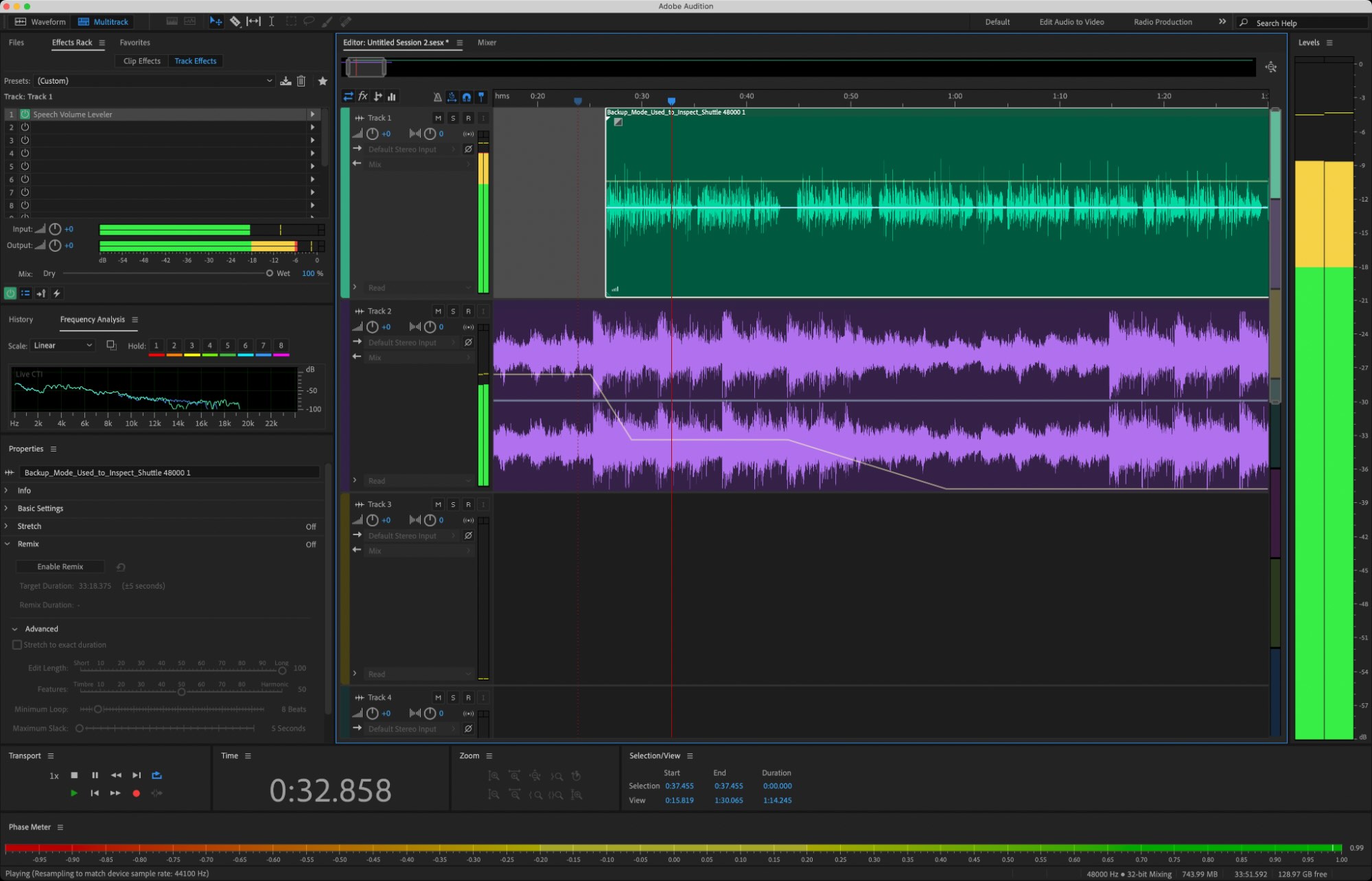
Image source: Zapier
Advanced Sound Design Strategies to Enhance Narrative Impact
To move beyond basic cleanup and into true storytelling, editors use techniques that manipulate the audience's psychology. These methods are often what separate standard projects from those that rank among the top in cinematic quality.
Creative Foley Hacks for Realistic Textures
Professional foley artists rarely use the actual object seen on screen. Instead, they look for materials that translate better to a microphone. For example, crumpling a heavy cardboard box often creates a more convincing "car crash" thud than recording an actual collision, which can sound thin and metallic. Similarly, flapping a heavy sail or piece of canvas can simulate the sound of a leather jacket more effectively than the jacket itself.
The Power of Pre-Lapping and Hard Cuts
Oscar-winning editors like Paul N. J. Ottosson often use "pre-lapping" to drive action forward. By introducing the sound of a ringing phone or a distant siren before the camera cuts to it, you prime the audience's brain for the transition. Conversely, a "hard cut"—where sound and picture stop abruptly together—can be used to create a jarring, visceral impact in action sequences or horror films.
Practical Solutions for Common Audio Post-Production Challenges
Even with top-tier software, technical hurdles are inevitable. Mastering these quick fixes will save hours of frustration during the final stages of a project.
- Eliminating Popping on Cuts: When you cut audio at a point where the waveform is not at "zero crossing," it creates a digital pop. The professional solution is a 1-2 frame micro-cross-dissolve at every edit point.
- Fixing Audio Dropouts: If a clip has a section of missing audio, never leave it silent. Source "room tone" from a different part of the same take and loop it underneath to maintain the sonic floor.
- Managing Large File Lag: Software like Audacity can struggle with multi-hour recordings. If your DAW is lagging, consider using ocenaudio for the initial destructive cleanup, as it is widely regarded for its superior memory management with massive files.
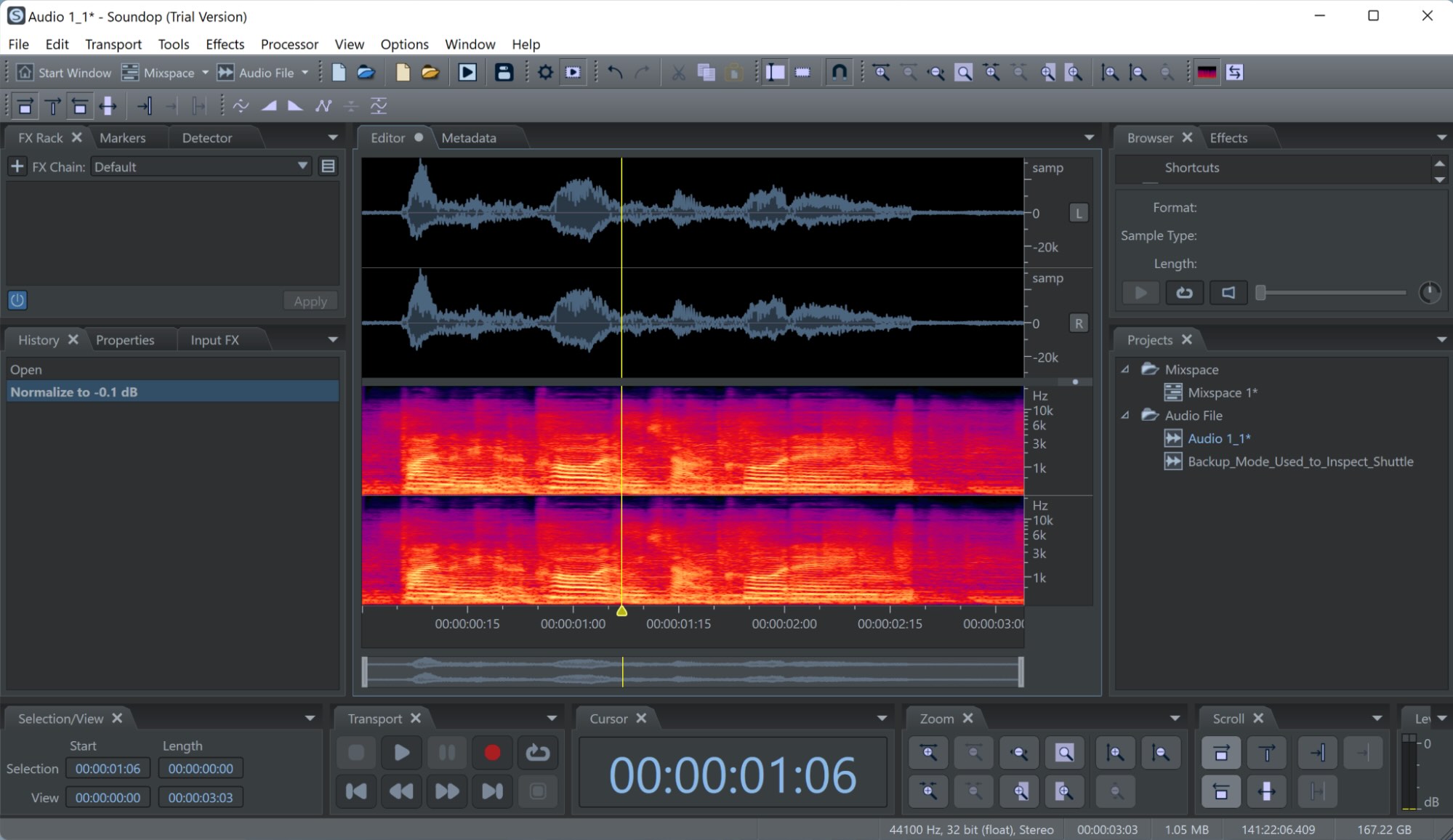
Image source: Zapier
Frequently Asked Questions
What is the best free sound editing software available today?
For those starting out, Audacity is a popular choice due to its wide range of plugins and community support. However, for more professional performance and better handling of large files, ocenaudio is a strong contender. If you are looking for a professional-grade tool without the high price tag, Reaper offers a very generous trial period and a low-cost personal license, while DaVinci Resolve Fairlight provides a full DAW for free within its video editing suite.
Why did the Oscars merge Sound Editing and Sound Mixing?
The merger in 2021 was intended to reflect the evolving nature of digital post-production. In the past, editing (tape-based) and mixing (console-based) were physically and technically separate. Today, both tasks are performed within the same software environments, often by the same teams. The Academy decided that a single "Best Sound" award more accurately represents the collaborative and overlapping nature of modern audio work.
Is Adobe Audition better than Pro Tools for film work?
It depends on your ecosystem. If you are already a heavy user of Adobe Premiere Pro, Audition offers seamless "Dynamic Link" integration that saves time. However, Pro Tools remains the industry standard for high-end film and TV because of its superior session interchange capabilities. Most major mixing stages require Pro Tools sessions, making it the safer choice for those looking to work in professional Hollywood environments.
How do I make dialogue sound professional and clear?
Professional dialogue clarity is achieved through three main steps: 1) Removing low-end rumble with a high-pass filter (usually around 80-100Hz), 2) Boosting the 3-6kHz frequency range to enhance speech intelligibility, and 3) Using "room tone" to fill gaps so the background remains consistent. Additionally, using a subtle compressor can help level out the volume differences between a whisper and a shout.
What is the difference between destructive and non-destructive editing?
Destructive editing (like in Audacity or ocenaudio) permanently changes the original audio file when you save. If you cut a section and save, that data is gone. Non-destructive editing (like in Pro Tools, Reaper, or Fairlight) never touches the original file. It simply records a set of instructions on how to play that file back. This allows you to undo any change at any time, even years later, making it the preferred method for complex professional projects.
Key Takeaways for Mastering the Craft of Sound Editing
Sound editing is a blend of technical precision and creative storytelling. By following these core principles, you can significantly elevate the quality of your audio projects:
- Prioritize Non-Destructive Workflows: Use software like Reaper or Pro Tools to ensure your original recordings remain safe and reversible.
- Master the Room Tone: Never leave "dead air" in your dialogue tracks; always fill gaps with the natural ambiance of the scene.
- Carve Frequency Pockets: Use EQ to ensure dialogue sits in the 3-6kHz range without competing with music or effects.
- Layer Your Sounds: A realistic sound effect is rarely a single file; layer 3-5 different sounds to create a rich, textured auditory experience.
- Invest in Monitoring: Use flat-response studio monitors rather than consumer speakers to ensure your mix translates across all devices.
- Use Micro-Fades: Prevent digital pops by applying 1-2 frame fades at every single audio cut.
Start your next project by spotting every visual cue that needs a sound, and build your audio world one layer at a time.