Home
12 Best monday.com Alternatives That Solve Pricing and Complexity Issues
As of late 2026, teams are moving away from monday.com primarily due to seat-minimum pricing traps and the "blank canvas" fatigue that leads to adoption failure. If you need to track profit margins per project, skip to Teamwork. If you manage 100k+ rows of inventory, Airtable is a top choice.
Why Are Teams Switching Away from monday.com?
While monday.com has long been a popular choice in the project management space, recent shifts in user needs and pricing structures have led many teams to seek alternatives. The platform's flexibility, once its greatest selling point, has become a double-edged sword for organizations that require more structure or specific financial oversight.
One of the most significant frustrations cited by users is the "Seat-Minimum" Pricing Trap . Unlike tools that allow you to pay for the exact number of users, monday.com often requires purchasing seats in specific increments (e.g., 3, 5, 10). According to pricing analysis, paying for a 3-seat minimum when you only have 2 users effectively inflates your costs by 33%. This "dead weight" cost becomes even more pronounced as teams scale, sometimes forcing a jump from a manageable annual fee to a significantly higher tier just to add a single additional user.
Furthermore, the "Chart View" Paywall has become a point of contention. Visual reporting and advanced dashboards—essential for project managers to track progress—are frequently locked behind the Pro or Enterprise tiers. For small to mid-sized teams, this means paying a premium for basic visibility that many competitors offer in their entry-level plans. Community feedback suggests that users often feel "nickel-and-dimed" when they realize the features they need for basic governance are restricted.
Finally, there is the issue of "Blank Canvas Fatigue." Because monday.com is highly customizable, it requires significant time and expertise to set up correctly. This often leads to "Key-Person Dependency," where the entire workspace's logic lives in the head of one power user. If that person leaves, the system often falls into disarray, leading to low adoption rates across the rest of the team.
How to Choose the Right Alternative Based on Your Team’s Needs
Selecting a new project management tool is not just about replacing features; it is about solving the specific bottlenecks in your current workflow. To avoid falling into the same traps, teams should evaluate alternatives based on two primary dimensions: the nature of their work and their financial structure.
- Do you need to track billable vs. non-billable time natively? Look at Teamwork.com.
- Are you managing massive datasets like inventory or a 5,000+ contact CRM? Look at Airtable.
- Is your team tired of building their own workflows from scratch? Look at Workzone.
- Is budget your primary concern with no seat minimums? Look at Plaky.
Another critical distinction is Task-Centric vs. Data-Centric workflows. Most project management tools are task-centric, focusing on "to-do" lists and status updates. However, for teams managing complex relational data—where a "project" is just one piece of a larger ecosystem of clients, assets, and inventory—a data-centric tool like Airtable or Baserow sets a high standard. These platforms function more like a relational database, allowing for much more sophisticated information management than a standard Kanban board.
Best monday.com Alternatives for Client Work and Profitability
Teamwork.com for Agencies That Need to Track Margins
For agencies and professional services firms, project management is inextricably linked to profitability. Teamwork.com stands out as a top choice because it was built specifically for client-facing work. Unlike monday.com, which requires third-party integrations or complex workarounds for financial tracking, Teamwork includes native time tracking, billing, and invoicing.
The core philosophy here is that "seeing margin after invoicing is too late." Teamwork allows project managers to see planned spend versus real-time costs as work happens. This visibility helps teams adjust their efforts before a project goes over budget. For teams that live and die by their billable hours, this level of integrated financial data is a significant advancement over generic task trackers.
Wrike for Enterprise Teams Using AI Project Blueprints
Wrike has positioned itself as a robust alternative for larger organizations that need to scale without losing control. As of 2026, Wrike has introduced an AI Agent feature that can generate "Full Project Blueprints" from simple natural language prompts. Instead of manually creating dozens of subtasks and dependencies, a manager can describe a project, and the AI builds the entire structure, including estimated timelines and resource allocation.
Comparatively, Wrike’s free tier is notably more generous than monday’s, offering no user limit on its basic plan, whereas monday.com restricts its free version to just two users. This makes Wrike a strong contender for teams that want to start small and scale their user base without immediate financial pressure.
Workzone for Teams That Want a Pre-Configured System
Workzone is often described as the "Anti-monday" for teams that are exhausted by the "blank canvas" approach. Rather than giving you a box of Legos and telling you to build a house, Workzone provides a pre-configured system designed for professional governance. It is widely regarded as one of the best options for non-technical teams who need a tool that works out of the box with human-led onboarding to ensure high adoption rates.
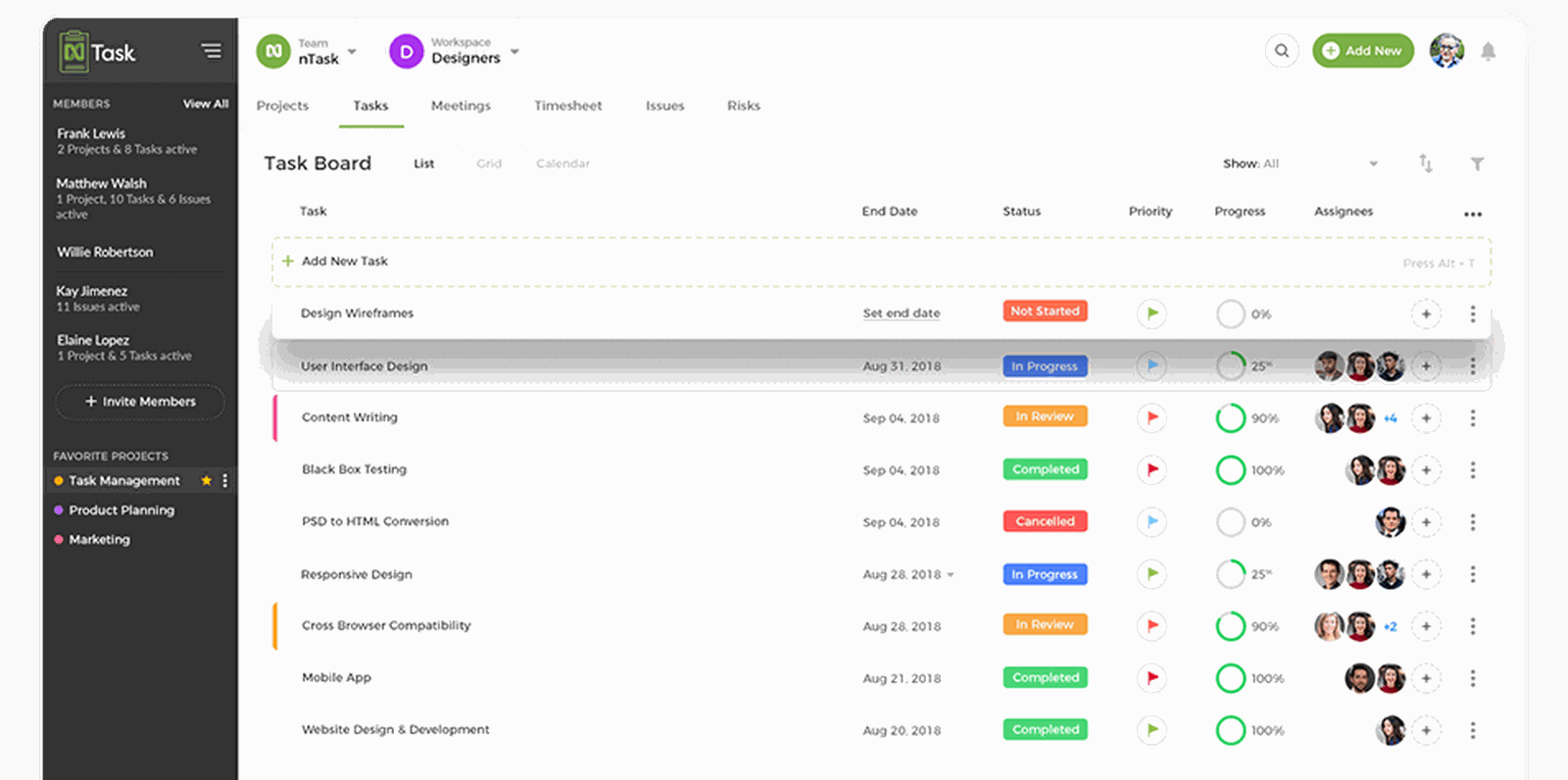
Image source: Teamwork.com
Best Budget-Friendly and Free monday.com Alternatives
Plaky for Small Teams Avoiding Seat-Minimum Math
If your primary frustration with monday.com is the pricing structure, Plaky offers a compelling alternative. With a starting price point of approximately $3.99 per user per month and—crucially—no seat minimums, it allows small teams to pay only for what they use. This transparency eliminates the "upgrade shock" that occurs when adding a single new team member.
Despite its lower price point, Plaky maintains a high standard of reliability, boasting a 99.99% uptime guarantee. It provides the essential Kanban and Table views that monday users are accustomed to, but without the paywalled reporting features that often frustrate users on other platforms.
Zoho Projects for High-Volume Teams on a Budget
Zoho Projects is a popular choice for teams that need a deep feature set at a low entry point. Starting at roughly $4 per user per month, it integrates seamlessly with the broader Zoho ecosystem. While the interface may feel less "modern" than monday.com, its functionality—including Gantt charts and resource utilization tracking—is exceptionally strong for the price. It is an excellent choice for teams that prioritize utility over aesthetic flair.
ProProfs Project for Simple Flat-Rate Pricing
For organizations that want to avoid "per-user" scaling shocks entirely, ProProfs Project offers a flat-rate pricing model. At approximately $39.97 per month for the entire team, it provides a predictable cost structure regardless of how many users you add. This model is highly recommended for growing startups that don't want their software bill to fluctuate every time they hire a new intern or contractor.
Best Alternatives for Data-Heavy and Complex Workflows
Airtable for Teams That Need a Relational Database
Airtable is widely considered one of the strongest alternatives for teams that have outgrown the "task list" format. While monday.com treats every row as a task, Airtable treats every row as a record in a database. This allows for complex relationships between different tables—for example, linking a "Project" to a "Client," a "Budget," and a "Creative Asset" simultaneously.
For marketing teams managing thousands of assets or operations teams tracking inventory, Airtable’s relational structure is a major improvement over monday’s flatter boards. Its free tier is also quite robust, allowing up to five editors to collaborate before requiring a paid plan.
Baserow for Open-Source and Self-Hosted Requirements
For teams that require data sovereignty or want to host their own tools, Baserow is a top-tier open-source alternative . It mirrors much of Airtable’s relational database functionality but allows for self-hosting, which is critical for industries with strict data privacy requirements. Baserow is built for scalability, making it a strong contender for enterprise-level data management without the vendor lock-in of SaaS platforms.
ClickUp for Maximum Feature Customization
ClickUp is often marketed as the "one app to replace them all." While it has a steeper learning curve than monday.com, it offers a level of customization that few competitors match. Its "Everything View" allows managers to see tasks across all projects in a single screen—a feature that is notoriously difficult to configure in monday.com without advanced dashboards. For power users who want to tweak every setting, ClickUp stands out as a top choice.
How to Calculate the Real Cost of Your Project Management Tool
When comparing prices, the sticker price per user is often misleading. To find the true cost, you must account for seat minimums and tier jumps. Below is a comparison of how different tools scale for a typical growing team in 2026.
| Tool Name | Starting Price (Per User) | Seat Minimum | Cost for 4 Users | Cost for 11 Users |
|---|---|---|---|---|
| monday.com (Standard) | ~$12.00 | 3 Seats | $60.00 (5-seat tier) | $180.00 (15-seat tier) |
| Plaky | $3.99 | None | $15.96 | $43.89 |
| ProProfs Project | Flat Fee | N/A | $39.97 | $39.97 |
| Asana (Starter) | ~$10.99 | None | $43.96 | $120.89 |
| Wrike (Team) | ~$9.80 | None | $39.20 | $107.80 |
As the table illustrates, monday.com’s tiered seat system can lead to "Upgrade Shock." If you have 11 users, you may be forced to pay for a 15-seat plan, meaning you are paying for 4 seats that no one is using. Tools like Plaky or Wrike, which offer true per-user pricing, often provide better value as teams grow incrementally.
How to Migrate Your Data from monday.com to a New Tool
Moving your entire team to a new platform can be daunting, but following a structured process can mitigate the risk of data loss or downtime. Most modern alternatives offer import tools specifically designed for monday.com users.
- The Clean Export: Before leaving monday.com, export your boards to CSV files. Take this opportunity to delete old, completed tasks and redundant columns. Importing "dirty" data into a new system will only recreate the complexity issues you are trying to escape.
- Mapping Your Automations: It is important to note that automations do not transfer between platforms. You will need to document your current triggers (e.g., "When status changes to Done, move to Archive") and manually rebuild them in your new tool.
- The Pilot Test: Never migrate your entire organization at once. Choose one "live" project and a small group of users to test the new tool for one week. This allows you to identify any mapping errors or workflow gaps before the full rollout.

Image source: YouTube
Frequently Asked Questions
Is there a completely free version of monday.com?
Yes, monday.com offers a free "Individual" plan, but it is quite limited. It is restricted to a maximum of two users and lacks many of the core features that make the platform useful, such as Gantt views, automations, and integrations. Most professional teams will find the free version insufficient for anything beyond basic personal to-do lists.
Which is cheaper: Asana or monday.com?
In many cases, Asana can be more cost-effective for small teams because it does not enforce the same strict seat-minimum increments as monday.com. However, Asana's higher-tier plans can be more expensive per user. The "cheaper" option depends entirely on your specific team size and which features (like Timeline view or Portfolios) you consider essential.
What is the easiest project management tool for non-technical teams?
Workzone and Trello are widely regarded as two of the most accessible options. Trello uses a simple "sticky note" Kanban system that requires almost no training. Workzone offers more power than Trello but provides a much more structured, guided experience than the "blank canvas" of monday.com, making it a popular choice for marketing and creative departments.
Can I use Trello as a monday.com alternative?
Trello is a strong contender if your work is purely task-based and fits well into a Kanban (card-based) workflow. However, Trello lacks the native spreadsheet-like power and complex automation capabilities of monday.com. If you need to manage budgets, dependencies, or large datasets, you may find Trello too simplistic without numerous "Power-Ups" (add-ons).
How do I avoid paying for unused seats?
To avoid paying for unused seats, look for tools that offer "pay-per-user" pricing without seat minimums. Plaky, Zoho Projects, and Wrike are excellent examples. Alternatively, flat-rate tools like ProProfs Project allow you to add as many users as you want for one fixed monthly price, ensuring you never pay for "empty" seats.
The Bottom Line
Choosing a monday.com alternative in 2026 requires looking beyond the interface and focusing on the underlying cost and data structures. Here are the key takeaways to guide your decision:
- Prioritize Profitability: If you are an agency, Teamwork.com is a top choice for tracking margins and billable time natively.
- Avoid Pricing Traps: Use Plaky or ProProfs to escape seat-minimum increments and keep your budget predictable.
- Manage Data, Not Just Tasks: For complex workflows involving thousands of records, Airtable sets a high standard with its relational database engine.
- Simplify Adoption: If your team struggles with complex setups, Workzone offers a pre-configured environment that reduces "Key-Person Dependency."
- Leverage AI: Enterprise teams should consider Wrike for its advanced AI blueprinting capabilities that save hours of manual setup.
Before signing a new contract, always verify if visual reporting is paywalled and calculate the exact cost for your team size to avoid future upgrade shocks.