Home
How to Build and Use a Personal Editable Thesaurus to Improve Your Writing
An editable thesaurus is a customizable reference tool that allows writers to store, categorize, and refine synonyms based on their specific niche. While standard tools provide generic lists, a personal database helps avoid the "Thesaurus Trap" by providing context-specific alternatives like modifiable for health, configurable for tech, and amendable for legal documents. By building your own lexical toolkit in Notion or Excel, you can ensure your writing remains natural, precise, and authoritative.
Why Standard Reference Tools Often Fall Short for Modern Writers
For many writers, the traditional thesaurus is a double-edged sword. While it offers a vast array of vocabulary, it often lacks the contextual nuance required for professional communication. This leads to what writing communities frequently call the "Thesaurus Trap"—the tendency to select a complex synonym that technically fits the definition but feels entirely unnatural in the sentence. According to insights from writing experts on platforms like Reddit , relying too heavily on right-click synonyms can result in prose that feels long-winded and disconnected from the intended audience.
The primary issue is the Context Gap . A standard entry for "editable" might list "changeable" and "alterable" as primary synonyms. However, in a software development environment, "changeable" is rarely used; instead, developers look for terms like configurable or user-defined . In medical research, the term modifiable carries specific weight, particularly when discussing lifestyle factors that impact long-term health. A generic tool cannot distinguish between these professional requirements.
Furthermore, modern writers need a "knowledge store" that reflects their unique voice. A personal, editable thesaurus allows you to curate a list of "Power Synonyms" that you have already vetted for your specific niche. This prevents the repetitive use of weak words while ensuring that every substitution maintains the integrity of your message. By defining "editable" as a baseline—meaning text or data capable of being revised—you can begin to branch out into specialized terminology that resonates with your specific readers.
Image source: Twinkl
Selecting the Right Synonyms for Editable Across Various Industries
Choosing the correct synonym for "editable" depends heavily on the industry and the medium of communication. Using the wrong term can diminish your authority or confuse the reader. Below is a breakdown of how to navigate these lexical choices effectively.
Technical and Software Development
In the digital realm, "editable" usually refers to the ability of a user to change settings, code, or data fields. Terms like configurable and customizable are standard here. If you are describing a database, you might use indexable or updatable to describe fields that can be modified by a system administrator. According to technical documentation standards, these terms imply a level of structured control that "changeable" does not convey.
Legal and Formal Documentation
Legal writing requires precision above all else. When a contract or official record is capable of being changed, the terms amendable or emendable are preferred. "Amendable" suggests a formal process of revision, while "emendable" specifically refers to the correction of errors in a text. Using these terms signals to legal professionals that you understand the formal protocols of documentation.
Scientific and Medical Research
In science, the nuance of word choice can have significant implications. For instance, the World Health Organization frequently uses the term modifiable to describe lifestyle factors—such as smoking or diet—that can be changed to reduce the risk of diseases like dementia. In genetics, researchers might describe specific gene sequences as editable , particularly when discussing CRISPR technology and its ability to alter plant or animal DNA to achieve specific traits.
| Industry | Preferred Synonym | Example Usage |
|---|---|---|
| Software | Configurable | "The dashboard features configurable widgets for user data." |
| Legal | Amendable | "The bylaws are amendable only by a two-thirds majority vote." |
| Medicine | Modifiable | "Physical inactivity is a modifiable risk factor for heart disease." |
| Creative | Revisable | "The first draft is highly revisable based on editor feedback." |
| Engineering | Adjustable | "The machine features an adjustable tension setting." |
Step-by-Step Guide to Creating a Custom Thesaurus in Notion or Excel
Building a personal editable thesaurus is one of the most effective ways to improve your writing over time. Unlike a static book, a digital database grows with you. Here is a workflow to set up your own lexical toolkit.
- Define Your Database Structure: Start by creating a table in Notion or Excel. Your columns should include: Weak Word (the word you overuse), Power Synonym (the better alternative), Context/Niche (where to use it), and Example Sentence . This structure ensures you aren't just collecting words, but learning how to implement them.
- Map Your Niche: Create specific "Views" for different projects. For example, a "Business Proposal View" might prioritize formal terms like leverage and optimize , while a "Creative Writing View" might focus on evocative verbs and sensory adjectives.
- Identify Your "Weak" Words: Review your last three pieces of writing. Which words appear most frequently? If you find you use "editable" ten times in a technical manual, map it to alternatives like user-defined or dynamic in your database.
- Implement Institutional Memory: If you work in a team, share this editable thesaurus. It acts as a style guide that ensures every team member uses the same "Power Synonyms," maintaining a consistent brand voice across all company communications.
Maximizing Microsoft Word as a Dynamic Writing Resource
Microsoft Word offers more than just a basic synonym list; it provides a functional environment for real-time vocabulary editing. By using the built-in tools effectively, you can maintain your writing flow without switching to a browser.
The Review Tab Workflow is a highly effective method for deep editing. Instead of right-clicking individual words, navigate to the "Review" tab and select the "Thesaurus" button. This opens a dedicated sidebar that stays active as you type. This pane is superior to the right-click menu because it groups synonyms by "Meaning Variations" and "Parts of Speech." This helps you avoid the common mistake of replacing an adjective with a noun that happens to share a similar root.
Furthermore, Word allows you to leverage "Research" features to look up definitions and usage examples simultaneously. According to GenText , understanding the emotional connotation of a word—whether it is positive, negative, or neutral—is vital for maintaining the correct tone. The Word Thesaurus Pane provides these nuances by showing how words are categorized in different contexts, such as "formal" or "informal."
Streamlined Workflows for Expanding Your Personal Vocabulary
A personal thesaurus is only as good as the data you put into it. To keep your lexical toolkit fresh, you should implement automated workflows for capturing new vocabulary during your daily reading.
The Kindle Vocabulary Builder
If you read on a Kindle, every word you look up is automatically saved to the "Vocabulary Builder." This feature allows you to review your lookups as flashcards. To turn this into an editable thesaurus, you can export these words periodically into your Notion database. This ensures that the words you are learning are the ones you actually encounter in your field of interest.
Browser Extensions for Instant Capture
Using the Google Dictionary Chrome extension allows for instant overlays while you browse the web. When you encounter a notably innovative use of a word, you can highlight it to see the definition and then immediately copy it into your personal spreadsheet. This "Read-to-Write" pipeline—Encountering a word, looking up its context, adding it to your database, and practicing it in your next draft—is widely considered one of the most effective ways to build a lasting vocabulary.
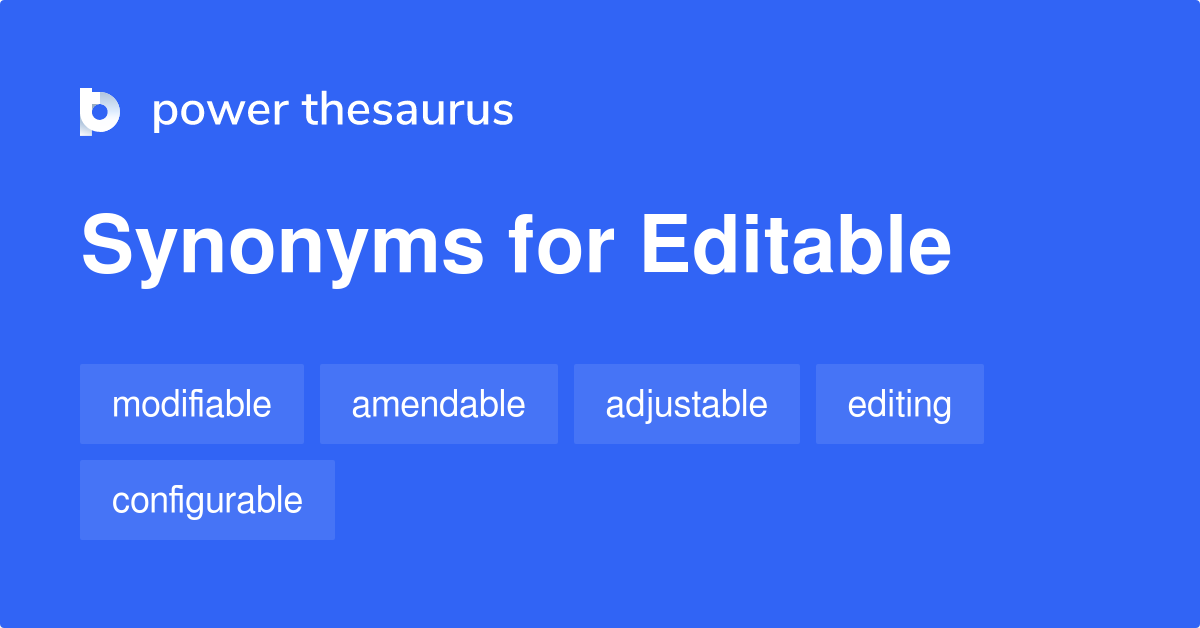
Image source: Power Thesaurus
Distinguishing Between Editable and Modifiable in Professional Contexts
While "editable" and "modifiable" are often used interchangeably, there is a subtle split in their application that professional writers should recognize. "Editable" is almost exclusively reserved for tangible data, text, and media files. You edit a document, a photo, or a video. The term implies a direct interaction with a piece of content to change its internal state.
In contrast, modifiable is typically applied to abstract concepts, systems, and behaviors. As noted in medical research regarding dementia risk , lifestyle factors are "modifiable" because they represent a change in state or condition rather than a direct edit of a file. Similarly, in software architecture, a system might be "modifiable" if its structure allows for easy changes, even if the individual files are not "editable" by the end-user.
Understanding this distinction prevents "word salad" in technical reports. If you describe a PDF as "modifiable," a developer might assume you mean the underlying code can be changed, whereas saying it is "editable" clearly indicates that the text within the document can be revised. These small distinctions are what separate a top-tier writer from an amateur.
Strategies for Selecting Precise Vocabulary in Every Draft
Once you have built your editable thesaurus, the final step is learning how to deploy it effectively. Precision is not about finding the longest word; it is about finding the word that carries the exact weight required for the sentence.
- Evaluate Formality Levels: Ensure your synonym matches the surrounding text. Using "amendable" in a casual blog post about a recipe might feel jarring, whereas "changeable" or "flexible" would fit perfectly.
- Check for Negative Connotations: Some synonyms carry unintended baggage. "Alterable" can sometimes imply that something is unstable or unreliable, whereas "revisable" implies a positive process of improvement.
- The "Read Aloud" Test: After replacing a word with a synonym from your personal thesaurus, read the sentence aloud. If you stumble over the word or if it feels out of place, it likely is. The best synonyms are the ones that the reader doesn't even notice because they fit so seamlessly into the context.
Key Takeaways for Building Your Lexical Toolkit
- Identify overused words in your current writing to serve as the foundation for your custom database.
- Categorize synonyms by industry (e.g., Tech, Legal, Science) to ensure contextual accuracy.
- Use digital tools like Notion or Excel to create a living document that grows with your career.
- Distinguish between "Editable" and "Modifiable" based on whether you are discussing data or abstract concepts.
- Leverage the MS Word Thesaurus Pane for a deeper look at parts of speech and meaning variations.
- Apply the "Substitution Test" to every new word to ensure it doesn't fundamentally alter your message.
- Automate your learning by exporting Kindle lookups or browser highlights into your personal store.
Start your personal thesaurus today by listing the five words you use most frequently and finding three context-specific alternatives for each.
Frequently Asked Questions
What is a professional synonym for editable?
The most professional synonym depends on the context. In technical or software environments, configurable or customizable are preferred. In legal or formal settings, amendable is the standard term. For general business or creative writing, revisable is a top-tier choice that implies a process of improvement.
Is there a thesaurus where I can add my own words?
While most online dictionaries are static, you can build your own editable thesaurus using tools like Notion, Excel, or Airtable . By creating a database with columns for "Weak Words" and "Power Synonyms," you can curate a reference tool that is specifically tailored to your writing style and industry.
What is the difference between editable and revisable?
The difference lies in the intent. Editable refers to the technical capability of a file or text to be changed (e.g., "The PDF is editable"). Revisable focuses on the act of reviewing and improving the content (e.g., "The draft is revisable based on new data"). Use "editable" for technical descriptions and "revisable" for process-oriented writing.
How do you describe a document that cannot be edited?
Documents that cannot be changed are typically described using antonyms such as read-only, fixed, static, or locked . In a technical context, a "static" file is one that does not change, while a "read-only" file is one where the user lacks the permissions to make revisions.
Can I edit the built-in thesaurus in Microsoft Word?
You cannot directly edit the primary database of the Microsoft Word thesaurus. However, you can use the Custom Dictionary feature to add specialized terms, or better yet, maintain a separate "Research" sidebar or a personal Notion document to supplement Word's built-in capabilities.